EcomOptix

Category: Shopify SEO

  • Shopify vs Etsy: Which Is Better for Selling Online?

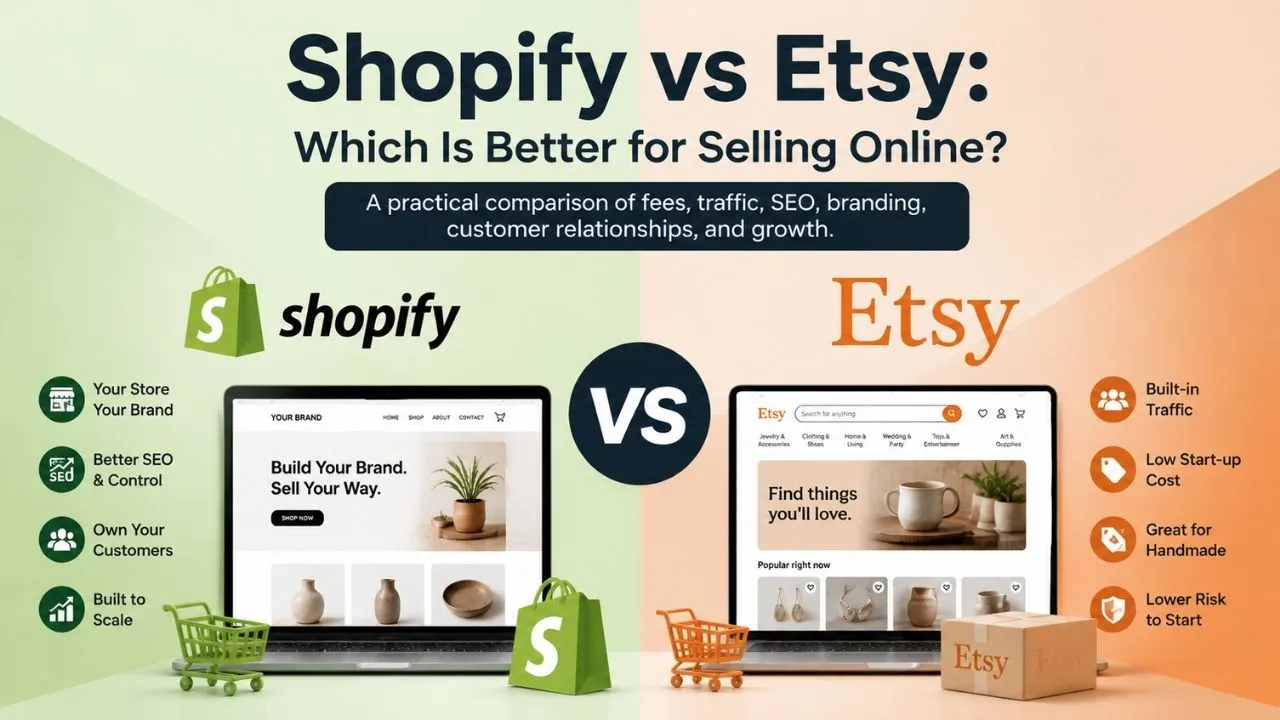
    Shopify vs Etsy: Which Is Better for Selling Online?

    Shopify vs Etsy jpg


    A practical comparison of fees, traffic, SEO, branding, customer relationships, and growth.

    Short answer: Etsy is usually the better starting point for handmade, vintage, custom, or craft products when you need marketplace discovery and low fixed costs. Shopify is usually better when you want a branded store, more control over SEO and customer relationships, and a platform that can scale with your business—but you must create or buy your own traffic. Many established sellers use both, with Etsy as a discovery channel and Shopify as the brand home.

    The key distinction:
    Shopify is a standalone ecommerce platform that powers your own storefront.

    Etsy is an online marketplace where your shop sits inside Etsy’s shared shopping environment.

    The decision is therefore about business model and customer acquisition—not just which checkout has the lower fee.

    Shopify vs Etsy at a glance

    If your priority is… Usually the better fit Why
    Testing demand quickly Etsy Lower fixed commitment and built-in marketplace discovery.
    Owning the storefront experience Shopify Custom domain, brand design, site structure, and checkout control.
    Getting found without an audience Etsy Shoppers already browse the marketplace, although competition is intense.
    Building SEO and repeat-purchase assets Shopify More control over pages, content, email capture, and customer journeys.
    Selling handmade or vintage items Etsy first; Shopify later or alongside it Etsy fits the category; Shopify gives the brand more room to grow.
    Subscriptions, wholesale, or a broad catalog Shopify A standalone commerce system is generally more adaptable to complex operations.
    Keeping risk and work low at the beginning Etsy Faster setup, but you accept marketplace rules, competition, and dependence on Etsy.

    The core difference: marketplace vs. standalone store

    Etsy supplies a destination where shoppers search for products from many sellers. That gives a new seller a chance to be discovered before the seller has an audience, but it also puts the shop next to competitors and places the customer relationship inside Etsy’s policies and platform experience.

    Shopify supplies the storefront technology: hosting, checkout, catalog and inventory tools, payment connections, reports, themes, and an app ecosystem. You choose the domain, positioning, page structure, and marketing mix. Shopify can make a business look and operate more like an independent brand, but it does not automatically bring shoppers. A polished Shopify store with no acquisition plan can generate no sales.

    Fees and total cost: the comparison most articles oversimplify

    Fees and total cost the comparison wepg

    A fair comparison separates fixed costs, per-order costs, optional marketing costs, and operating costs. “Etsy is free” and “Shopify has no transaction fees” are both incomplete statements.

    Etsy’s fee stack

    • Listing fee: $0.20 per listing or renewal. Listings generally expire after four months, and quantity-based renewals can create additional listing fees.
    • Transaction fee: 6.5% of the order total defined by Etsy’s policy, including the item price and amounts charged for shipping and gift wrap. Tax treatment varies by location.
    • Payment processing: A country-specific percentage plus a flat fee. In the United States, the current help page lists 3% + $0.25; in India it lists 5% + ₹25. It is charged on the payment total, including shipping and tax where applicable.
    • Advertising: Etsy Ads are pay-per-click. Offsite Ads are charged only when Etsy attributes an order to an offsite ad; the rate is generally 15% below the relevant sales threshold and 12% after the threshold, subject to Etsy’s current rules and a per-order cap.
    • Optional subscriptions and adjustments: Etsy Plus is optional. Pattern is a separate Etsy website product with its own subscription price after the trial and still uses Etsy Payments processing. Currency conversion, regulatory operating fees, deposit fees, taxes, and Payoneer or bank charges may apply depending on the seller’s location.

    Verify the live rules before publishing or pricing products: Etsy Fees & Payments Policy; Etsy payment-processing fees; Etsy fees and taxes help page; Pattern pricing.

    Shopify’s fee stack

    • Subscription: Shopify charges a recurring plan fee. As a U.S. illustration, its current pricing pages show Basic at $39 per month when billed monthly, with lower effective annual pricing often displayed. Prices, billing options, included features, and plan availability vary by country.
    • Payment processing: If Shopify Payments is available and used, you pay the card-processing rate for your market and plan. A U.S. online card example shown on Shopify’s pricing materials is 2.9% + $0.30 on the entry plan; the exact rate depends on market, card type, plan, and transaction circumstances.
    • Third-party payment provider fees: If you use a provider other than Shopify Payments, Shopify may add a plan-based third-party transaction fee on top of the provider’s own processing fee. That is why “0% transaction fee” should never be read as “0% payment cost.”
    • Store operations: A custom domain, premium theme, apps, email/SMS tools, shipping services, fulfillment, returns, and paid advertising can add to the monthly cost. Shopify includes hosting, bandwidth, SSL, and a myshopify.com domain; a custom domain is normally an additional purchase.

    See the current details in Shopify pricing and Shopify Payments cost guidance.

    A simple U.S. variable-fee example

    The table below isolates a single order so the fee mechanics are visible. It assumes one $0.20 Etsy listing, a $50/$200/$1,000 order with no tax and free shipping, no Etsy Ads or Offsite Ads attribution, and Shopify Payments on an entry-level U.S. Shopify plan. It excludes the Shopify subscription, apps, domain, fulfillment, product costs, refunds, and advertising.

    Order value Etsy: listing + 6.5% + 3% + $0.25 Shopify: 2.9% + $0.30 Difference before fixed costs
    $50 $5.20 $1.75 Etsy is $3.45 higher
    $200 $19.45 $6.10 Etsy is $13.35 higher
    $1,000 $95.45 $29.30 Etsy is $66.15 higher


    What the example does—and does not—prove: At roughly twelve $50 orders per month, the $3.45 variable-cost difference could mathematically offset a $39 monthly Shopify subscription. That is a contribution-margin illustration, not a recommendation: Etsy may create sales that Shopify would not have generated, while Shopify may require SEO, email, social, or paid acquisition spending.

    How to compare your own total cost

    1. Calculate contribution margin by channel. Start with selling price minus product cost, packaging, shipping subsidy, payment fees, platform fees, refunds, and ad cost. Compare what each order contributes—not just the headline rate.
    2. Model fixed costs over realistic order volume. Spread Shopify’s plan, apps, domain, and email tools across expected monthly orders. Do not spread them over an optimistic sales target.
    3. Price in the cost of traffic. Etsy can supply discovery but may charge advertising-related fees. Shopify may have lower order fees but require paid ads, content, partnerships, or months of SEO work.
    4. Use your seller location. Etsy payment processing, regulatory fees, taxes, deposits, currency conversion, and Shopify Payments availability are market-specific. A U.S. example cannot be copied into an India, U.K., EU, or Australia forecast.

    Traffic, marketing, and customer acquisition

    Traffic, marketing, and customer acquisition jpg

    Etsy’s main advantage is not simply that it is easy to use; it is that Etsy is already a shopping destination. Etsy’s latest company information reports roughly 86.5 million active buyers and 5.6 million active sellers, which demonstrates marketplace scale but does not guarantee impressions or sales for an individual shop. Your listings still compete on relevance, price, photography, reviews, delivery performance, and customer service.

    Marketplace scale reference: Etsy company information. The figures are platform-level totals, not a forecast for any individual seller.

    Etsy discovery is earned and can be paid for

    • Organic Etsy search: Etsy considers relevance and listing information such as titles, tags, attributes, and descriptions, along with listing quality and buyer experience. Results are personalized, and competition and shopper behavior change.
    • Etsy Ads: Etsy Ads operate on a pay-per-click auction model. A click is a cost even when it does not become an order, so track return on ad spend and contribution margin.
    • Offsite Ads: These are different from Etsy Ads. An attributed sale can create a percentage fee even though the seller did not set a per-click bid for that particular order.
    • Marketplace risk: Search visibility can be affected by customer-service standards, shipping performance, reviews, cases, and policy compliance. A seller has less control over the algorithm and the surrounding buying experience than on an independent site.

    For the current mechanics, see Etsy’s SEO guide, search-visibility guidance, tag guidance, and Etsy Ads explanation.

    Shopify gives you the tools, not the audience

    A Shopify store needs an acquisition plan. Common channels include organic search, social content, email, creator partnerships, referrals, marketplaces, affiliate programs, paid search, paid social, and repeat purchases. Shopify can connect these channels and present a consistent brand experience, but the platform itself does not put your product in front of ready-to-buy shoppers in the way Etsy marketplace search can.

    That responsibility is a cost and an opportunity. You have to earn the first visit, but a successful store can build a durable audience through permission-based email, customer accounts, content, product education, and repeat-purchase journeys. Those assets are more difficult to build inside a marketplace.

    SEO: Etsy search visibility vs. Shopify site ownership

    Both platforms can support search visibility, but they expose different levels of control.

    SEO question Etsy Shopify
    Can product pages appear in Google? Yes. Optimize the shop and listing content, then follow Etsy’s policies. Yes. You control more of the site architecture and on-page content.
    What can you edit? Titles, descriptions, tags, attributes, images, alt text, shop content, policies, and branding elements. Titles, meta descriptions, URLs, content pages, collections, blogs, images, redirects, theme markup, and more.
    How much technical control? Limited to Etsy’s marketplace structure and templates. More control over domain, navigation, collections, internal links, templates, and technical SEO foundations.
    Does the platform guarantee rankings? No. No. Technical access is not the same as relevance, authority, or demand.
    Who must do the marketing work? You compete for Etsy search and may use Etsy’s ad products; Etsy supplies marketplace discovery. You must create demand through SEO, content, social, email, partnerships, marketplaces, or paid media.


    Etsy SEO is listing optimization inside a marketplace

    Etsy lets sellers improve shop and listing pages with relevant titles, tags, attributes, descriptions, images, image alt text, video, policies, and an About section. This is enough to earn visibility in Etsy and potentially in external search, especially when the product matches a specific query. It is not the same as owning a full site architecture: you have less control over URLs, navigation, category pages, internal linking, page templates, and the context around the listing.

    Shopify SEO is a stronger long-term content asset

    Shopify supports custom domains and automatically generates a sitemap. Its SEO tools and themes can support editable page titles, meta descriptions, URLs, image alt text, canonical tags, SSL, collections, blogs, and structured content. That broader control can compound over time through category pages, product-led content, buying guides, comparison pages, and internal links. It still requires research, useful content, technical maintenance, link earning, and conversion optimization. A sitemap is not a ranking strategy.

    Technical references: Shopify SEO overview, Shopify sitemap guidance, and Etsy SEO for shop and listing pages.

    Branding, store ownership, and customer relationships

    Etsy gives you a shop identity within Etsy. You can use a shop name, logo, banner, featured listings, About content, policies, and—through Etsy Plus—additional appearance options. But shoppers are still moving through Etsy’s shared marketplace, where they can compare competing products and where Etsy controls the overall checkout, navigation, messaging, and policy environment.

    Shopify lets you build the customer-facing layer around your own brand: a custom domain, home page, collections, product education, navigation, checkout styling, promotions, content, and post-purchase experience. You can connect customer accounts, analytics, CRM, email, reviews, subscriptions, fulfillment, and other tools. This creates more work, but it also creates more room for differentiation.

    Customer data is not a simple “you own it” vs. “Etsy owns it” question

    On Shopify, you generally have more direct access to customer and order records and can export customer data or connect it to other systems. You must still follow privacy, email, SMS, consumer-protection, and data-retention laws. Marketing permission is not implied merely because someone placed an order.

    On Etsy, the seller receives the information needed to fulfill the transaction, but Etsy’s rules and privacy framework limit how buyer information can be used. Do not treat an Etsy order as permission to add a buyer to an independent mailing list or redirect the buyer off Etsy. Use consent-based marketing and follow the current seller, privacy, and anti-circumvention rules.

    Relevant references: Shopify customer import and export guidance, Etsy Seller Policy, and Etsy privacy policy.

    Ease of setup and day-to-day operations

    Operational area Shopify Etsy
    Initial setup More decisions: theme, domain, payments, shipping, tax settings, navigation, policies, apps, and analytics. Faster launch: create the shop, add listings, configure payments and shipping, and meet marketplace requirements.
    Catalog and inventory Strong inventory, product, location, reporting, and app options for a growing catalog. Good listing and order tools, but complex multichannel operations may require an integration or app.
    Payments Shopify Payments where supported, plus third-party providers and other payment methods. Etsy Payments where available; processing terms are tied to the seller’s country and bank location.
    Shipping and fulfillment You design the process and can connect carriers, fulfillment, print-on-demand, and warehouse tools. Etsy offers marketplace seller tools and shipping options, but the seller still owns product preparation and delivery performance.
    Analytics Store, traffic, product, order, and channel reporting, with more connected-data options. Etsy Stats and marketplace insights help with listings and demand, but the view is centered on Etsy activity.

    Integrations are a spectrum—not a binary

    Shopify has a large app ecosystem and is often easier to extend into email, subscriptions, reviews, fulfillment, POS, accounting, wholesale, and multichannel selling. Etsy also supports integrations and a public API for eligible seller and developer use. The practical question is whether the exact tool you need can sync listings, inventory, orders, shipping status, and returns reliably at a cost you can absorb.

    References: Shopify reports, Shopify inventory management, and Etsy API guidance.

    Which products fit Shopify or Etsy?

    Product or business model Best starting fit Important qualification
    Handmade, custom, personalized, or craft items Etsy, then consider Shopify Etsy matches the shopping intent; Shopify helps build a branded repeat-purchase channel.
    Vintage goods Etsy Confirm Etsy’s vintage definition, listing rules, and required disclosures.
    Print-on-demand Both can work Use an approved production-partner workflow and disclose production partners where Etsy requires it. Check IP and product-safety obligations.
    Digital downloads Either Choose based on discovery, file delivery, customer support, and brand/retention goals.
    Subscriptions, wholesale, B2B, or complex bundles Shopify A standalone platform generally provides more room for workflows and integrations. Confirm plan and app costs.
    Generic dropshipping or reselling Usually not Etsy Etsy generally requires items to be made, designed, handpicked, or sourced within its policy; Shopify does not remove legal, quality, disclosure, or supplier responsibilities.

    Etsy product-policy risk matters

    Etsy is not a general-purpose catalog for any product a seller can source. Its Seller Policy requires listings to fit Etsy’s permitted categories and requires accurate descriptions, original photos or video, intellectual-property compliance, and relevant disclosures. Dropshipping and reselling are restricted except for limited policy exceptions. A production partner can be permitted for an original design, but the seller must follow Etsy’s disclosure and listing requirements.

    Read the live requirements in Etsy Seller Policy before investing in inventory, templates, or advertising.

    Scalability and platform risk

    Etsy can scale a product line, but growth comes with more competition, more customer-service volume, more fees, and greater exposure to Etsy’s search, payment, and policy decisions. Etsy’s Customer Service Standards and Purchase Protection criteria make shipping, tracking, responsiveness, reviews, and cases operational priorities. Purchase Protection can help qualifying orders, but it is not universal insurance and does not eliminate seller responsibility.

    Shopify gives a business more control as the catalog, team, channels, and marketing system grow. It can be a better core for multiple sales channels, a branded content strategy, customer retention, and more complex inventory. The trade-off is ongoing financial and operational responsibility: monthly plan costs, apps, payment fees, data/privacy obligations, site maintenance, fraud/chargeback exposure, and traffic acquisition. Shopify reduces dependence on a marketplace; it does not make the business independent of every platform, payment processor, carrier, or app.

    Risk and service references: Etsy Customer Service Standards and Etsy Purchase Protection.

    Should you sell on both Shopify and Etsy?

    Often, yes—provided the economics and operations justify it. A two-channel strategy can use Etsy to test demand and capture marketplace shoppers while Shopify becomes the long-term home for brand, content, retention, and direct traffic. It can also reduce dependence on one source of sales.

    A practical two-channel setup

    1. Choose a primary system of record. Decide where SKU names, inventory counts, product costs, and order status are authoritative.
    2. Sync only what you can monitor. An integration can reduce duplicate work, but a failed inventory sync can create overselling, late shipping, or customer-service problems. Budget for the app and its maintenance.
    3. Give each channel a job. For example, Etsy can test keywords and product-market fit; Shopify can support bundles, email capture, content, repeat purchase, or wholesale conversations.
    4. Track contribution by channel. Separate Etsy fees, Shopify fees, ad spend, returns, fulfillment, and support time. A channel with more revenue is not automatically the more profitable channel.
    5. Stay inside Etsy’s rules. Do not use Etsy orders, messages, packaging, QR codes, or listing tactics to evade fees or redirect buyers to another venue. Any cross-channel marketing must be based on a lawful, compliant source of consent.

    The last point is not optional: review Etsy’s rules on off-platform transactions and fee avoidance and the Seller Policy.

    Which should you choose?

    Use the following decision rules as a starting point, then validate them against your margins, product restrictions, audience, and marketing capacity.

    Choose Etsy first if…

    • You are validating handmade, custom, vintage, craft, or other Etsy-compatible products.
    • You have little or no existing audience and want marketplace search to create a first chance at discovery.
    • You want to keep fixed costs low while testing price, photos, product-market fit, and fulfillment.
    • You can accept marketplace competition, policy requirements, and limited control over the customer journey.
    • Your expected volume is low or uncertain and a monthly storefront subscription would be difficult to justify.

    Choose Shopify first if…

    • You are building a distinct brand with a custom domain, a differentiated customer experience, and a long-term content strategy.
    • You already have traffic from social, email, search, creators, retail, a community, or another marketplace.
    • You need broader control over SEO, landing pages, collections, navigation, customer accounts, analytics, or integrations.
    • You sell products or business models that benefit from subscriptions, wholesale, B2B, bundles, multiple locations, or more complex workflows.
    • You can fund the monthly plan, apps, payment processing, site operations, and customer acquisition while sales develop.

    Use both if…

    • You want Etsy discovery and Shopify brand ownership to serve different stages of the same customer journey.
    • Your product margins can cover two sets of channel costs and the operational overhead of keeping listings and inventory accurate.
    • You have a clear primary catalog/inventory system and a policy-compliant way to market to people who opt in.

    A five-step platform decision checklist

    1. Write down your product category, production model, average order value, gross margin, and likely monthly order volume.
    2. Check Etsy eligibility, intellectual-property requirements, production-partner rules, shipping expectations, and payment availability before selecting Etsy.
    3. Estimate a Shopify store’s full monthly cost: plan, domain, apps, payment processing, fulfillment, email, support, and acquisition.
    4. Calculate the number of profitable orders each channel needs—not merely the break-even point on platform fees.
    5. Review the decision after the first meaningful test period using conversion rate, contribution margin, repeat purchase, customer-acquisition cost, and support time.

    Summary

    Etsy is a marketplace with built-in shopper intent, low fixed commitment, and strong fit for handmade, vintage, custom, and craft-led businesses. Shopify is a standalone ecommerce platform with more control over branding, SEO, customer relationships, integrations, and scale—but it shifts traffic generation and more operating costs onto the seller.

    If your biggest constraint is finding initial demand, start with Etsy or use it as one channel. If your biggest goal is building a durable brand and customer-retention asset, build Shopify into the plan. Compare contribution margin and acquisition cost, not just the listing fee or monthly subscription. And if you use both, give each channel a clear job and follow Etsy’s rules about buyer data and off-platform transactions.

    Frequently asked questions

    Etsy usually has lower fixed cost, but higher variable fees on each order. Shopify has a recurring plan and operating costs, but its payment cost per order can be lower. Your order value, volume, ad spend, country, apps, and traffic source determine the total.

    Common Etsy costs include the $0.20 listing or renewal fee, a 6.5% transaction fee, country-specific Etsy Payments processing, possible Etsy Ads or Offsite Ads charges, and location-specific currency, regulatory, deposit, or tax-related costs.

    Common Shopify costs include the subscription, payment processing, possible third-party payment-provider fees, domain, apps, themes, email/SMS, fulfillment, and marketing. Shopify Payments can remove a separate third-party transaction fee where available, but card processing still applies.

    Etsy is usually easier if the beginner wants to list a small number of permitted products and test demand. Shopify is a better beginner choice when the seller already has an audience or is intentionally building a standalone brand and is willing to learn store setup and marketing.

    Yes. Many businesses use Etsy for marketplace reach and Shopify for brand and retention. Keep inventory synchronized, measure channel-level profit, and do not use Etsy orders or messages to redirect buyers or evade Etsy fees.

    Yes. Shopify can support handmade products and gives the seller more control over brand, content, bundles, email, and repeat purchase. Etsy may still be valuable because shoppers already search there for handmade and personalized products.

    Not automatically. Shopify gives you tools for SEO, content, social, email, and paid acquisition; it does not supply Etsy’s marketplace audience. Plan for traffic generation before moving a proven product to Shopify-only.

    Etsy sellers receive the information needed to fulfill orders, but Etsy policies limit how buyer information may be used. A transaction is not blanket permission for independent email marketing or off-platform selling. Shopify generally gives more direct access and export flexibility, subject to privacy and marketing laws.

    Shopify generally offers more control over domain, site structure, collections, pages, blogs, URLs, internal links, and technical SEO. Etsy can still rank listings and shops when sellers optimize relevant content and deliver a good buyer experience. Neither platform guarantees rankings.

    Print-on-demand can be compatible when the product and design meet Etsy rules and required production partners are disclosed. Generic dropshipping or reselling is generally not an Etsy fit. Shopify can support more sourcing models, but it does not remove product-safety, IP, tax, disclosure, or supplier responsibilities.

    Consider Shopify when you have repeat demand, a recognizable brand, enough margin to fund the store, a traffic plan, or operational needs Etsy cannot serve well. You do not have to “move” completely; a two-channel test may be safer than an abrupt migration.

    For a simple estimate, subtract Shopify’s variable payment cost from Etsy’s variable fees for a typical order, then divide the monthly Shopify fixed cost by that per-order difference. Add marketing, apps, fulfillment, refunds, taxes, and the value of Etsy’s built-in demand before making a decision.
  • Top 10 Shopify SEO Tips to Rank Higher on Google

    Top 10 Shopify SEO Tips to Rank Higher on Google

    Google handles more than 3.5 billion queries daily; search accounts for up to 80% of all trackable website traffic.

    Given 82% of marketers claim SEO improves business goals, it makes sense.

    “SEO is a great kind of inbound marketing where the consumer has a need and finds you for the solution,” explains Greg Bernhardt, a Shopify SEO consultant.

    “SEO is about orienting your web content to communicate the relevance and value of your offering to search engines, who can then better pair the search they receive with the solution you offer.”

    Key Strategies to Improve Your Shopify Store’s SEO

    How to improve seo on shopify to maximize your website ranking? This definitive guide will coach you through the top 10 shopify SEO tips and the whole procedure.

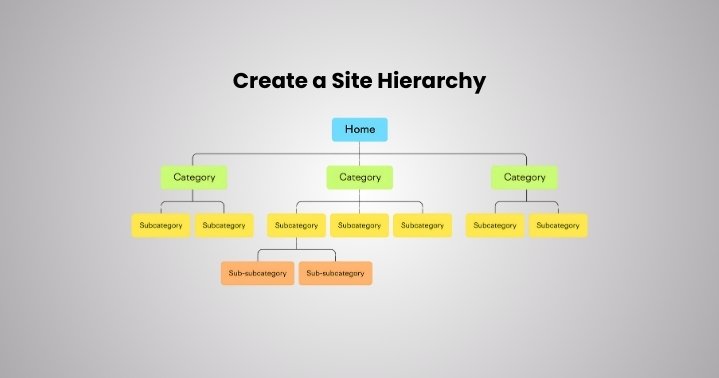
    1. Create a Site Hierarchy

    Great UX and SEO results come from the better and more logical site structure. The way you style information is laid out on your website is what defines it.

    “According to a 73.1% population, They leave a site due to its non-responsive design,” according to a report.

    Use these guidelines to establish a sensible hierarchy on your website:

    • Review the material of your website. Specify important subjects for the basis of the site hierarchy.
    • Sort the materials into major parts or themes. These show the main sites of division.
    • For exact arrangement, break out the major components into subcategories.
    • Sort data according to goals for the website and user needs.
    • Plot the perfect logical navigation user flow.
    • Give every division and subcategory clear, brief names.
    • Like a flowchart, arrange visually in a hierarchy.
    • Examine and compile comments about your site structure.
    • Iterate to advance usability, accessibility, and clarity.
    • Project development and plan a hierarchy for next expansion.
    • Track user interactions and stats following site release.
    • Simplify the hierarchy to maximize its continuing relevance and efficacy. 
    Create a Site Hierarchy

    2. Using Data-driven Keywords   

    Using data-driven keywords is another quite important Shopify SEO tip. Typing particular words or phrases on the search engine may help your possible clients locate you.

    Typing such keywords will produce the particular results that let the clients purchase from you instead of others.

    Product pages and keywords define Shopify stores; if you wish to rank them on search engines.

    Conducting keyword research helps one to do so.

    Think of keywords as your SEO equivalent-the potatoes.

    Find the keywords connected to your product using keyword research tools like Semrush and Ahrefs; then, employ those keywords while creating material for the Shopify store.

    Making a checklist of at least five themes connected to your product and then asking yourself: What terms or phrases people are using for this product is another efficient approach of doing keyword research.

    Imagine yourself as a consumer and consider some terms or phrases for which you most certainly would rank.

    Here are some further approaches to investigate keywords for the product you offer:

    • Create a buyer persona reflecting your perfect client avatar.
    • Look for several forums including Reddit and Quora. See what people are talking about related products, including the keywords they use in interactions.
    • Search under pertinent social media hashtags.
    • Examining rival seo for shopify sites and closely tracking titles, meta descriptions, image alt text, etc.
    • See also the questions others ask and Google searches people for them.

    Choose those keywords here with great search volume but less competition.

    Keyword stuffing in your Shopify material should never be done since it will lower the rating of your website. 

    Using Data-driven Keywords   

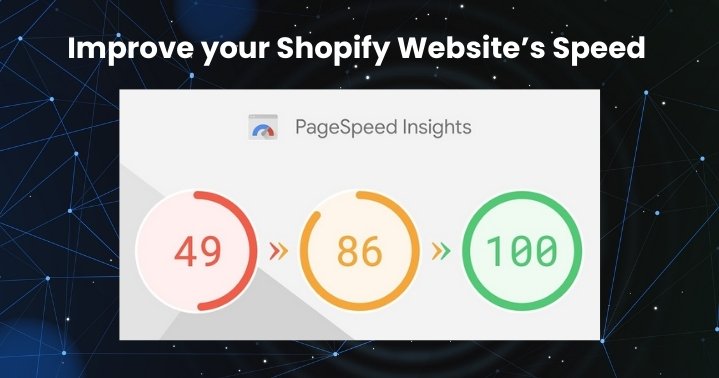
    3. Improve your Shopify Website’s Speed

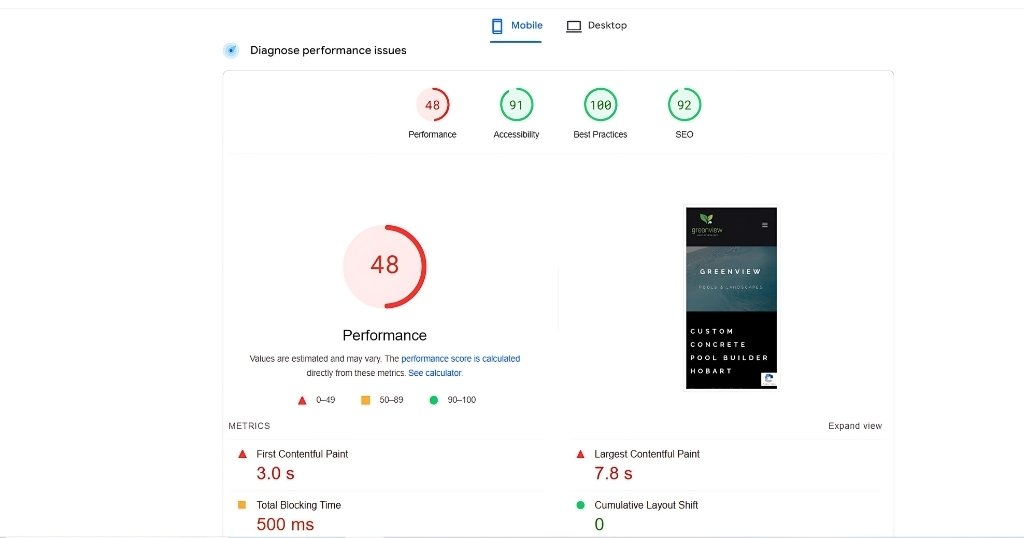
    Although page load time is not the most crucial ranking criterion on Google, it can mostly affect visitors to your website and produce better results.

    These are the primary shopify seo tips to maximize the speed of your Shopify store:

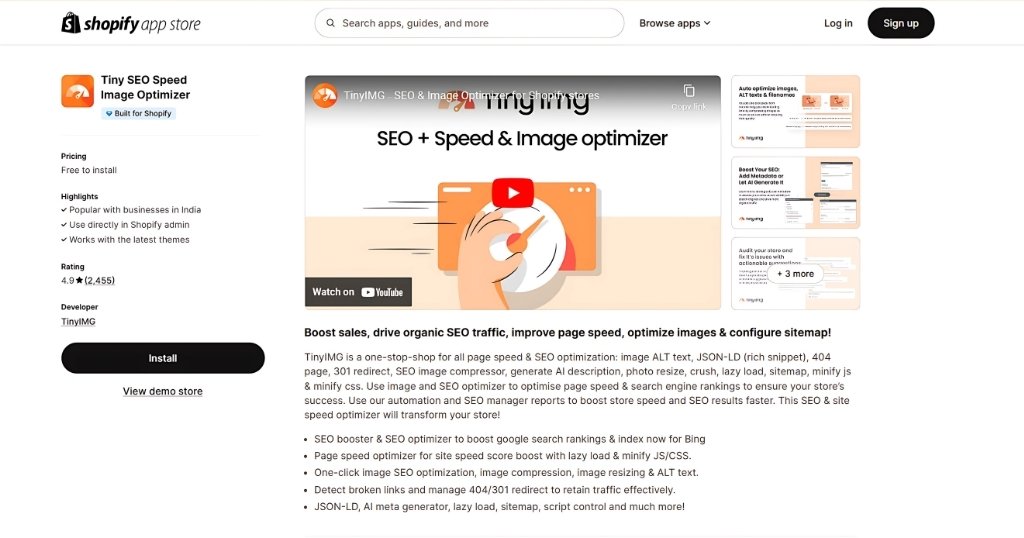
    • Compress and resize images: Oversized photos load more slowly, therefore slowing down the page overall. The free TinyIMG image compressor lets you compress single images. Using the TinyIMG Shopify software will let you automatically compress and resize loads of photos on your site.
    • Turn off inactive apps: Every app has scripts that might compromise the performance of your site. Anything you no longer require to speed improvement can be removed. Open your Shopify Admin, visit Settings > Apps & sales channels > Uninstall.
    • Simplify your codes: Eliminating extraneous elements-such as developer comments-helps you minimize HTML, JavaScript, and CSS codes. Toptal or Minifier.org are among the several free programs available for doing it. TinyIMG users may minify code right from the program.
    • Host movies outside: Embed movies via a third-party provider like Vimeo rather than uploading them to your Shopify store. Opening the page or product you wish will let you click the “embed video.” This will avoid your pages slowing down and saving resources. 
    Improve your Shopify Website’s Speed

    4. Optimize Metadata

    Metadata in the context of coding your website refers to information.
    Searchers and users can see meta title tags.

    They notify users and search engines about the content of your web page.

    Not far below the meta title tags are meta descriptions.

    They are your web page classified advertising.

    Most often, SEO experts fall into a trap whereby modern search engines like Google Bing no longer rely on meta descriptions as a ranking indication on SERPs.

    These descriptions, however, directly show up on SERP results, which could affect your natural click-through rates.

    Creating original meta titles and descriptions that grab interest and improve seo on shopify is a craft.

    These Shopify SEO tips and secrets might benefit you:

    Meta Title:

    • Keep it clear: To guarantee best showing in search results, try for between 50 and 60 characters-including spaces.
    • Combine useful keywords: For both SEO and reader clarity, target one or two main keywords that fit organically into the title.
    • Be precise and unambiguous: Tell users what your material will teach them or benefit them, not only with broad language like “amazing article.”
    • Make one curious or necessary: Entice clicks with action verbs or interesting queries.
    • Simplify for ease of use: Speak simply and clearly; avoid jargon or too complicated sentence construction.
    Meta Description:

    • Extend the title: Offer a quick content overview with more information than merely repeating the title.
    • Emphasize salient advantages or features: Emphasize what distinguishes and benefits the reader from your work.
    • Add a call to action: Tell users what they could do next-e.g., “Learn more,” “Download now”-to inspire them to click through.
    • Speak using natural language: Write conversally, steer clear of robotic wording or keyword cramming.
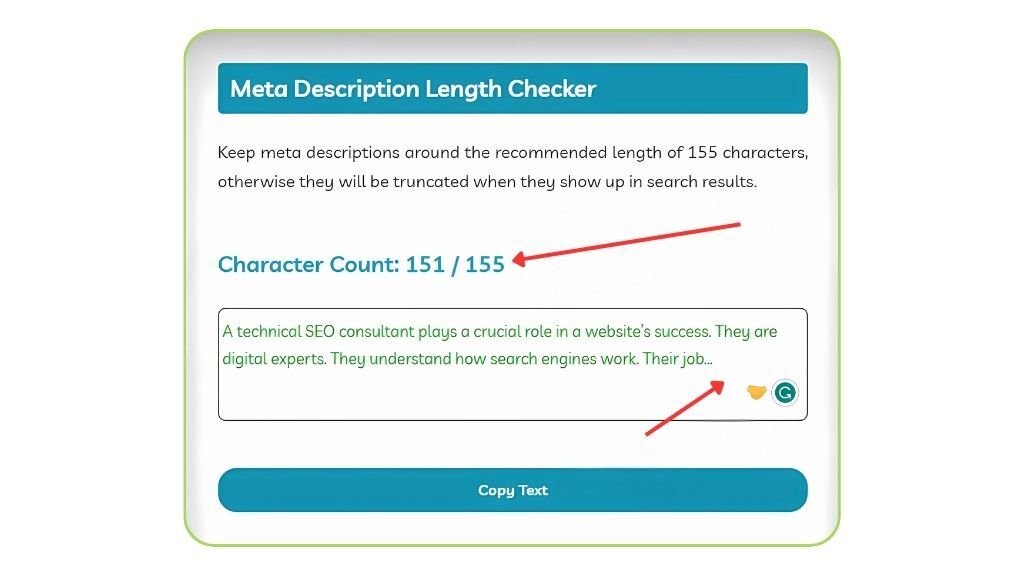
    • Stay within the character count: To avoid truncation in search results, aim for about 155–160 characters (including spaces). 
     Optimize Metadata

    5. Improve your Store Images and include Alt Text into them.

    The second biggest search engine available worldwide is Google Images. 20.45% of search queries on the web, according to SparkToro, are driven by Google images.

    It places him ahead of the aggregate YouTube, Bing, etc. searches.

    Thus, there is a great chance to get visitors with these Google photos.

    Under this situation, Alt text gains more importance.

    Follow these steps:

    1. Image Optimization and Compression:
    • You have to choose the correct picture format: PNG for graphics, JPEG for photographs.
    • Now compress photos using SearchPie or TinyPNG, SEO tools.
    1. Always resize images:
    • As advised by the specifications of your site, properly change the image dimensions.
    • Always rely on HTML or CSS; never upload too big photos.
    1. Give descriptive names to images:
    • The image files must be renamed with rich keywords, descriptive names. 
    • Try to avoid names like “image1.jpg.”
    1. Use CDN (content delivery networks):
    • Show photos from servers near your audience using CDNs.
    • Try to improve the loading times and your site’s performance.
    1. Opt for responsive design:
    • Make sure that your site’s images are responsive.Images have to be flexible for many screen sizes.
    • The srcset element lets you offer several versions.
    1. Integrate alt text for accessibility and SEO:
    • You have to learn how important alt text is for SEO and accessibility.
    • Always write descriptive alt text with relevant keywords.
    • Please don’t go for keyword stuffing; keep it concise and informative.
    • For simple management, use SEO plugins or CMS, Content Management System.
    • Audit and verify your alt text regularly.
    • Track and evaluate accessibility if you want best page load optimizations.
    Improve your Store Images and include Alt Text into them.

    6. Optimize your category and product pages

    Optimizing your website for SEO shouldn’t let you ignore product pages and collection.

    While product pages can score just as highly as blog entries, collections enable consumers to negotiate the site and discover what they are seeking for more quickly.

    Creating additional subcategories of your products as well as links to certain items will help Shopify collection page SEO.

    This allows you to provide pertinent keywords to such pages in addition to a skillful category description.

    Regarding product page SEO, meantime, there are a few things to think about:

    • Title: Make sure the title’s major target keyword is included.
    • Description: Natural participation of the most crucial terms in your Shopify product description will help you to emphasize benefits above features. Try not to keyword stuff.
    • Images: Make sure your photographs have a suitable alt text and size.
    • Product Variants: Add a choice to select the color on the same product page instead of merely building separate pages for every color of the product.

    Incorporate a related product, customer review, and FAQ part to maximize your product pages. 

    Optimize your category and product pages

    7. Begin Blogs   

    Start a blog on your Shopify page and mentor them all through their path instead.

    Starting blogs on Shopify raises the likelihood of ranking the site on search engines as well as of obtaining more leads at the same time.

    To generate traffic, even Shopify lets store owners include a blog to a website and publish those blogs.

    Many e-commerce shops, meanwhile, are not including blogs into their web platforms.

    An e-commerce site’s main goal is to increase income, which is totally achievable with more informational material publication.

    For someone running an ecommerce business, these are the golden Shopify SEO guidelines:

    • Select the most frequently used keywords and perform a manual Google search using those keywords.
    • See what kind of material Google’s ranking highest. Is it transactional or more instructional?
    • Finally, review your material and, should there be no blogs on those keywords and it fit the user’s search purpose, think about creating such excellent content pieces.
    Begin Blogs

    8. Build High-Quality Links

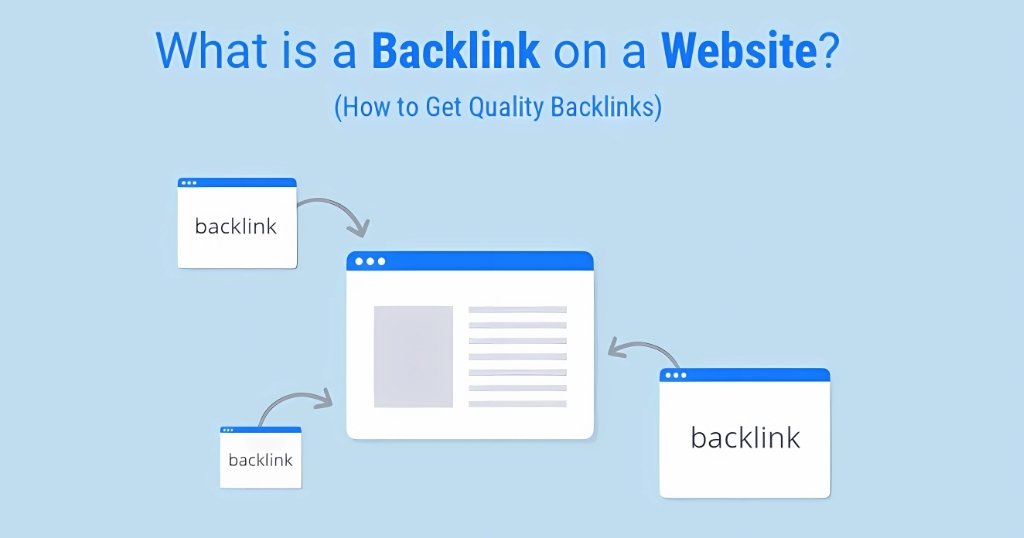
    Google’s ranking system depends on backlinks, which also are a main indication of the authority and value of a website.

    Search engines view each backlink as a “vote of confidence” from another website, so suggesting that your material is trustworthy and deserving of linking to.

    Use the following guidelines to get excellent backlinks and boost the power of your website: 

    • Create Quality Content: Create worthwhile, educational, and link-worthy material for which other websites might find use for their readers. Excellent content automatically draws backlinks and motivates people to distribute it throughout their networks.
    • Outreach: List within your sector or specialty important blogs, websites, and industry influencers. Get in touch to build connections with them. 

    To establish oneself as an expert, kindly offer your observations, analyze their material, and participate in debates.

    Once you have rapport, think about sending a customized email offering a guest post or resource exchange that would help both sides of things.

    • Guest Blogging: Guest blogging for reputable websites in your field of business will help This gives your material a more broad readership and a useful backlink to your website.

    Make sure your material for guest postings is excellent, pertinent to the intended readership, and links back to your website.

    • Broken Link Building: On other seo for shopify sites within your niche, find broken links. Ask the site owners to have your material replace the broken link.

    This approach fixes a broken link and offers a natural and pertinent backlink, therefore helping the owner of the website.

    • Social Media Promotion: Use LinkedIn, Facebook, and Instagram among other social media channels to highlight your work and raise awareness of it.

    Active distribution of your material on several social media platforms will draw more people to your website and raise the possibility of others locating and connecting to it.

    Recall that developing strong links is a long-term goal needing patience, persistence, and work.

    Focus on producing worthwhile material and building real relationships inside your sector if you want to naturally and sustainably rebuild links. 

    Build High-Quality Links

    9. Optimize For Mobile Devices

    In April 2024, Semrush claims, roughly 31.91% of Shopify traffic came from mobile devices.

    Out of the 170.18M total visits, roughly 54.30M were therefore utilizing mobile devices.

    Due to this, it is imperative to optimize the Shopify store for mobile devices. 

    • Incorporate a mobile-friendly theme

    Shopify provides several store themes. You have to pick one, though, that loads quickly, is SEO-friendly, and performs generally well. Search for mobile device overall performance ratings.

    • Maximize the Tap Target Size

    Generally speaking, one should choose a button size that fits easily with a thumb and at the ideal distance from the other tap targets.

    Although each Shopify business has different button widths, I advise keeping their width 48 pixels wide, spaced either 32 pixels apart or more.

    Once the design is finished, don’t overlook testing it yourself. 

    • Maintain the simple navigation
    • Limit menu levels: Just add the pertinent pages and categories to the menu for mobile devices. Your menus should feature just one level of nested material since you want to avoid overwhelming your clients with too many choices.
    • Reduce navigation layers: Less taps to access the intended content help keep people interested by lowering navigation levels. Make no more than six or seven taps as they would irritate you.
    • Use toggle menus: Hide menus behind a toggle menu button-such as a hamburger, caret, three-dot menu-to preserve screen space. The button should let users expand and shrink the menu to view additional options. 
    • Keep the Call-to-Action Button Always Visible

    The main goal of an e-commerce site is to get users to buy something.

    Thus, regardless of user position on the page, keep the Buy or Add to Cart button constantly displayed.

    They will be constantly reminded of need to act. 

    Optimize For Mobile Devices

    10. Using social media as part of an SEO strategy

    Although social media does not directly influence search engine results for your blog entries and articles, when combined with other SEO techniques it could be a useful supplementary tool.

    Post links from your blog entries or articles on social media to perhaps increase website visitors.

    Apart from increasing brand awareness, this shopify seo tip increases your possibilities of getting backlinks. 

    Using social media as part of an SEO strategy

    Conclusion

    To boost exposure and generate more natural visitors, your Shopify store must be optimized for SEO at last.

    Your chances of ranking higher on Google will be much increased by concentrating on important areas including keyword research, meta tag optimization, site speed improvement, and use of premium content.

    Better user experience and search engine performance depend critically on also optimizing pictures, increasing mobile responsiveness, and guaranteeing clean URLs.

    Keeping ahead of the competition and attaining long-term SEO success will depend on routinely updating your content, using backlinks, and tracking the performance of your website using analytics.


  • 5 Common Shopify SEO Issues and How to Avoid Them

    5 Common Shopify SEO Issues and How to Avoid Them

    With several handy tools including built-in themes, a straightforward clickable interface, and many SEO insights that make running a virtual storefront as simple as possible, Shopify is a one-stop shop for all things e-commerce.

    Although these tools are meant to make set-up flawless, many company owners could be employing them without having an appropriate plan in place, thereby allowing lots of opportunity for SEO errors.

    Our in-house SEO experts have compiled the most often occurring mistakes, together with strategies for avoiding shopify SEO issue, to assist you in making wise decisions regarding your Shopify. 

    Why do we need SEO for Shopify?

    Any website, let alone an online company, is mostly dependent on SEO.

    Before deciding on yours, your clients will utilize search engines to locate, source, and sort products, so supporting them on their purchasing path.

    How do they reach there?

    Users of the Messy Middle approach will loop through phases of awareness and deliberation, guiding them to identify their intended item from a shop either already in mind or via a search query.

    By means of a mix of user-intention keywords and other strategies, SEO increases the possibility of your online store being more visible – therefore generating more traffic, more consumers, and ideally more sales.

    After all, any e-commerce store aims at this. 

    However, mistakes can get in the way.

    Common Shopify SEO Issues & Solutions

    1. Ignoring Web Performance

    Setting up the whole Shopify e-commerce store and making it aesthetically pleasing requires a good sum of money, which business owners commit.

    Still, one factor that is sometimes overlooked is website performance.

    Here is what it could produce.

    Assume for the moment a possible client finds your Shopify store.

    Though their experience soon becomes frustrating, they are eager to examine the merchandise.

    For what purpose?

    Because pages reply slowly and the images load takes too long.

    They thus drop your website and start buying the product from your rival company.

    What then happened was you lost a consumer merely because of sluggish website performance?

    Google gives fast-loading websites top priority, hence the performance of your e-commerce store is exactly related to search engine results and conversion rates.

    A Shopify website’s speed can be much slowed down by large, unoptimized images, intricate themes with heavy scripts and styles, poorly developed apps, caching methods, and other elements.

    These problems compromise SEO results and conversion rates in addition to the user experience. 

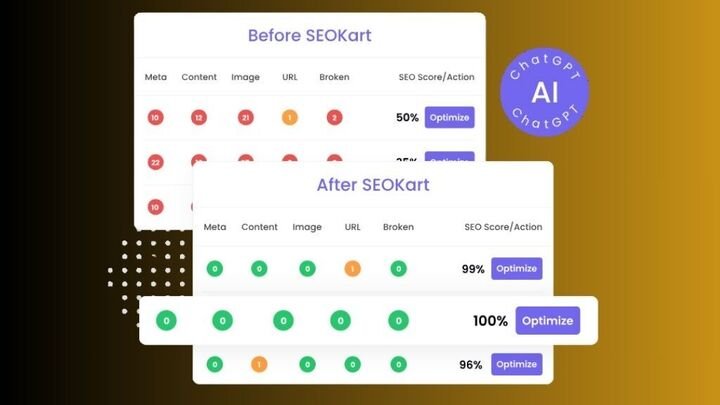
    One excellent way to handle these shopify seo issuesis to install the SEOKart app.

    This program addresses particular performance issues in your store including code optimization, image size optimization, and cache strategy improvement.

    By tackling these problems, SEOKart may assist to improve the speed, efficiency, usability, and search engine optimization of your site.

    Ignoring Web Performance

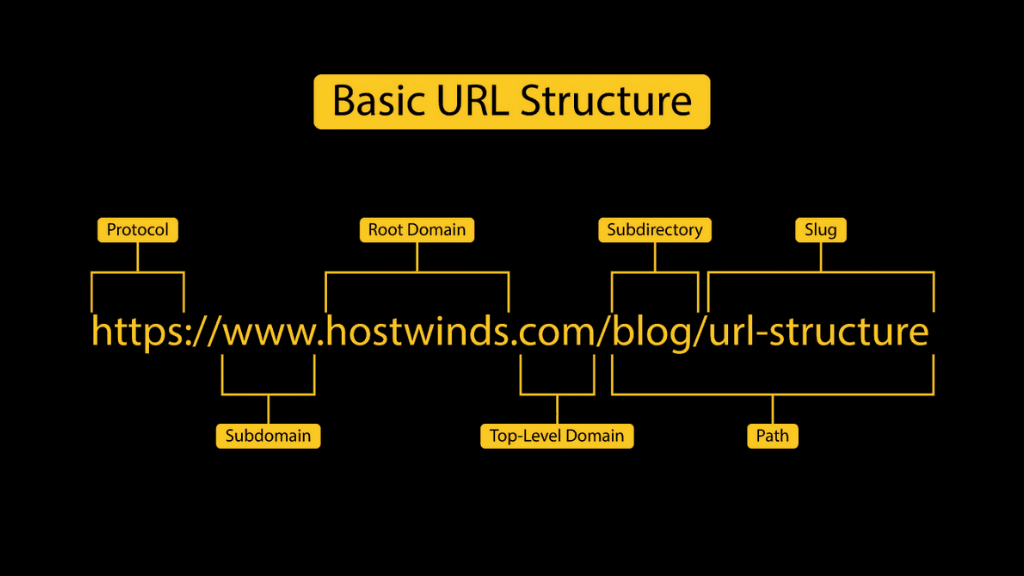
    2. URL Structure and Hierarchy

    Shopify’s default product URL structure is less than perfect for a number of reasons, particularly given it may compromise your SEO.

    The biggest one is that, depending on their interaction with parent categories, it usually generates several URLs for every product, which can rapidly result in duplicate information.

    Still, there is a somewhat easy fix-especially if you follow it through your workflow.

    Using canonical URL tags for product collecting pages can help you address this by ensuring short URLs are utilized and duplicate material does not arise.

    URL Structure and Hierarchy

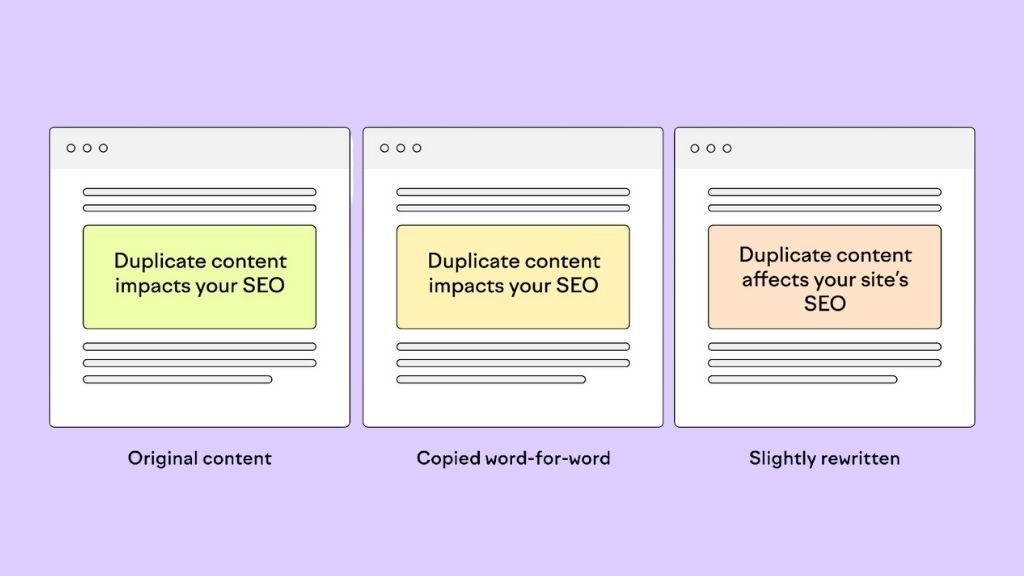
    3. Duplicate Content

    For the same product or collection, Shopify creates several URLs automatically.

    For a product page and for every collection where it shows, for instance, you can access the same content.

    Use canonical tags to inform search engines which version of a page to give priority fixing this.

    Though you can use an app like Yoast SEO to get more daily control, Shopify’s built-in canonical tags help somewhat.

    Reword product descriptions for every item to guarantee originality as well.  

    Duplicate Content

    4. Product Pages Redirection

    Therefore, a consumer enjoyed your product and bookmarked its product URL to purchase it going forward.

    Unfortunately, though, the merchandise ran out when they went back to the URL; certain conditions prevented restocking it.

    Under such circumstances, one may become frustrated and suffer losses.

    You might steer consumers to related products in your store to help them avoid these kinds of circumstances, but be careful not to create too many redirect pages as this could irritate them.

    This strategy can help to lower bounce rates and keep consumers, so enhancing the relevancy of your website to users and raising its search engine results.

    Even in cases of a product in stock, a page might need to be redirected.

    Product URL updates or store elimination could be the causes of this.

    Redirection of these pages to pertinent products or pages on the website helps to prevent losing consumers and badly affecting SEO.

    One can benefit by having a plan in place.

    Following these guidelines will help you to use the 301 redirection tool in your Shopify store backend as a solution for this loss-making problem: :

    • See navigation.
    • Choose Add your first URL redirect here.
    • Enter the old URL first; then, the page URL you wish it to be redirected to. 

    Product Pages Redirection

    5. Are your Title Tags Not Attractive?

    In e-commerce, the title tags of web pages are quite important in drawing possible users and promoting their click-through.

    Aiming for an optimal SEO approach, it is important to include pertinent keywords inside the meta title that possible consumers usually search.

    Store owners hoping to include several keywords may find it difficult, though, as Shopify only allows a 70 character title tag.

    It is advisable not to employ the maximum character limit since limited space guarantees better search engine visibility.

    Overuse of the character limit can compromise the site’s appearance.

    Some stores could over the character restriction, therefore compromising the general look of the site.

    Store owners can use the preview tool at the bottom of the page to maximize title tags for SEO needs and preserve visual attractiveness.

    This will enable them to select the best headline that offers relevant information on the product without being unduly long.

    Store owners may preview the title’s appearance to guests using this tool.

    Are your Title Tags Not Attractive?

    6. Meta Description Limit

    Like the Meta Title, the SEO of an eCommerce website depends much on its Meta Description.

    It helps search engines understand the content of the page by succinctly summarizing its elements.

    Still, Shopify has certain limitations in terms of Meta description creation for pages of your store.

    The SEO restriction of Shopify is that the Meta description can only run 320 characters.

    Store owners who want to produce a thorough and relevant description using keywords should find this difficult.

    Effective completion of this work depends on more room.

    To get above this restriction, concentrate on the most critical material and provide it in the first 160 characters.

    This will guarantee that search engine result page view clearly shows the important elements.

    Furthermore, it’s advisable not to copy the Meta description on several sites since it may harm your efforts at SEO.

    Rather, try to produce original descriptions for every page that exactly capture its content.

    Using Shopify applications or plugins is another way you might enhance your Meta descriptions.

    These useful resources can provide ideas for improving your Meta descriptions and guaranteeing they satisfy the character restriction criteria. 

    Meta Description Limit

    Conclusion

    Improving the visibility of your store and generating natural visitors depend on addressing typical Shopify SEO problems.

    Your store’s search engine performance will be much improved by concentrating on optimizing site speed, guaranteeing mobile responsiveness, eliminating duplicate content, correctly using header tags, and improving URL structures.

    Your SEO will be much improved by routinely changing your product descriptions, enhancing photos, and using internal linking.

    Keeping proactive with these techniques can help your Shopify store rank better, draw more customers, and finally boost conversions, guaranteeing long-term business success in the cutthroat e-commerce environment.

    FAQs

    1. What is a product URL in Shopify?
    A product URL in Shopify is the link or web address leading to a particular item in your online store. It serves as the distinctive page on your website for a product.
    2. Why would I wish to have Shopify update a product URL?
    Changing a product URL on Shopify could have various purposes. You could wish to make the URL more user-friendly, reflect changes to the name or category of the product, or maximize it for search engines.
    3. Can I change a Shopify product URL without compromising its SEO?
    Changing a product URL in Shopify without compromising its search engine optimization (SEO), indeed is feasible. To make sure search engines and visitors may locate the product using the new URL, it is imperative to put up appropriate URL redirects nonetheless.
    4. How might a Shopify product URL be changed?
    Changing a Product URL in Shopify requires following actions:
    • Enter into your Shopify administrative dashboard.
    • Refer to the “Products” section.
    • Click on the item for whose URL you wish to update.
    • Under “URL and handle,” click the “Edit website SEO” option.
    • Change the “URL and handle” field to represent the intended adjustments.
    • Click “Save” to retain the modifications.
    5. Does Shopify have any policies or limits regarding the building a product URL?
    Indeed, there are some rules to follow while establishing a Shopify product URL:
    • Simplify and clarify the URL.
    • Use hyphens and lowercase letters to break apart words.
    • Avoid spaces and special characters.
    • Make the URL connected to the content of the product.
  • What is the Best SEO tool for Shopify?

    What is the Best SEO tool for Shopify?

    Shopify SEO tools may help you expand your e-commerce business by optimizing your online store, improving its exposure in search engine results pages, and drawing in more clients.

    But which tools do you pick from the Shopify App Store’s more than 8,000 apps?

    How do you choose the most important Shopify SEO tools from a plethora of possibilities, and what do you actually need for successful Shopify SEO?

    We’ve compiled a list of the best tools to improve the SEO performance of your Shopify store.

    We go over feature summaries and app descriptions for each of the apps on this list.

    To optimize the search engine performance of your website, use our guide to choose the top Shopify SEO solutions.

    Shopify Seo Tools

    What is Shopify SEO?

    The term “Shopify SEO” describes the several tactics and methods used to raise a Shopify store’s exposure and ranking in search engine results.

    Why is Shopify SEO important?

    Consider SEO on Shopifyto be your own digital billboard, only much more advanced.

    When customers look for things you sell, it’s a good method to appear on search engine result pages.

    You may put your products in front of potential customers by increasing the visibility of your store with Shopify SEO.

    In order to increase organic traffic, it entails optimizing your site’s structure, product descriptions, meta tags, and other elements.

    In essence, a solid Shopify SEO plan can help your store become more well-known and increase sales. 

    Best Shopify SEO Tools to Boost Your Store’s Visibility in 2025

    The best Shopify SEO tools from various app categories are listed below.

    We go over each Shopify SEO tool’s functions, features, and advantages below.

    The categories we’ll talk about and our recommendations for the top Shopify SEO tools in each are as follows:

    1. Magical XML/Sitemap: Sitemap management tool

    By organizing your website so that search engine robots can efficiently crawl and index your content, sitemaps help you rank higher in search results.

    They inform search engines about the most significant pages on your website, when they were last updated, whether or not you have pages in different languages, and other important details.

    Additionally, sitemaps make it easier for people to browse your website, which increases page views and raises your rankings.

    If your website has a lot of information, is brand-new, contains a lot of rich media content, or appears in search engine news tabs, having a sitemap becomes even more crucial.

    Because sitemaps can only contain 50,000 URLs, you might need more than one sitemap to index all of the material in your large e-commerce store.

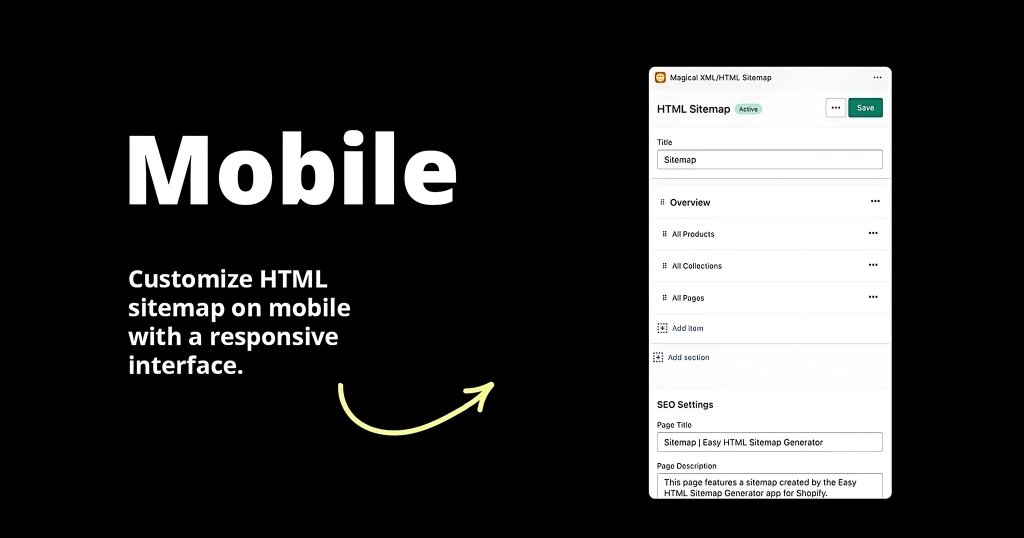
    One of the best Shopify SEO tools is Magical XML/HTML Sitemap, which enables you to create and publish personalized sitemaps automatically.

    This application links your XML sitemap to Google, directing Google’s web crawler, and creates sitemaps in HTML, assisting human users.

    You can make rules for showing new material and alter the look and feel of your HTML sitemap. 

    HTML Siemap

    2. Bloggle – The Complete Blog Builder

    Bloggle was designed to get around Shopify’s built-in drawbacks.

    After operating a Shopify business for five years, we created Bloggle as a tool to satisfy the needs of our clients.

    It is ideal for solo entrepreneurs, beginners, SMBs, and large companies looking to improve their online store’s visibility, drive traffic, and optimize performance for better search engine rankings.

    Features:

    1. SEO as-you-type analyzer: An intuitive real-time scoring system.
    2. Drag-and-Drop Editor: A drag-and-drop editor improves the time spent on your blog and the experience of readers.
    3. Optimized Image and File Sizes: Make sure your blog loads fast.
    4. Product Embedding: Makes it simple to incorporate products into your blogs.
    5. Adaptable Blog Category Design: Command over search and navigation features.

    Strengths:

    • Adopted by thousands of Shopify merchants
    • Specifically designed to meet Shopify’s unique needs
    • All-in-one solution for managing and optimizing Shopify blogs
    • Includes an SEO scoring tool to track performance
    • Offers excellent customer support

    Weaknesses:

    • Dedicated solely to blogging, limiting broader SEO functionality
    Blog Creation

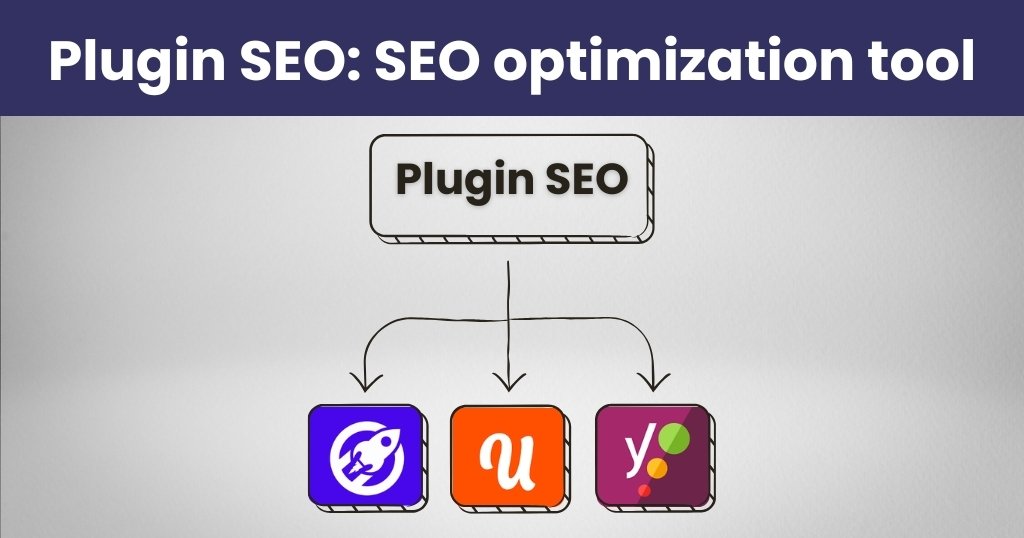
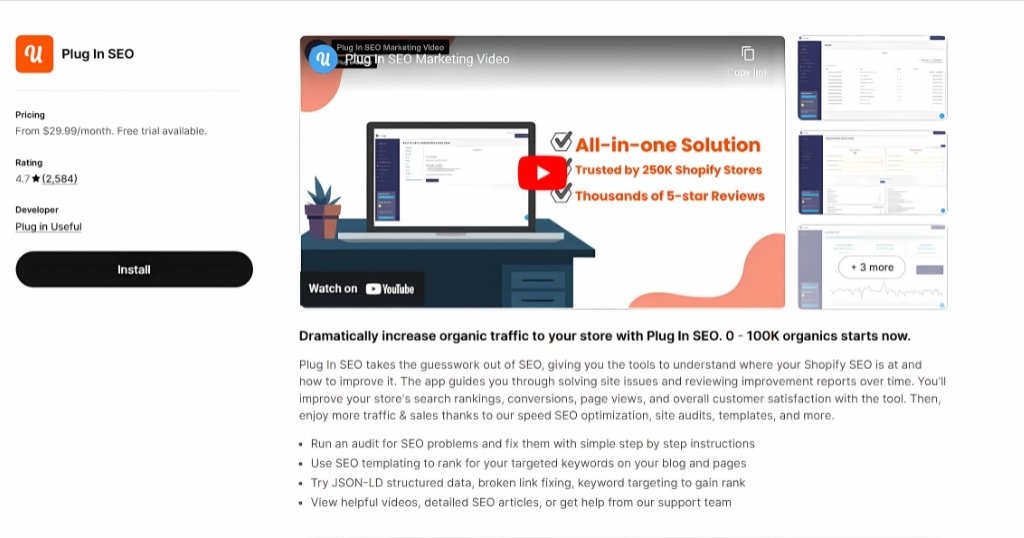
    3. Plugin SEO: SEO optimization tool

    Plug In SEO gives you automated tools to assess how well your site performs in search results, pinpoint areas that need work, and put those fixes into action.

    Following an audit, it offers detailed recommendations on how to address any issues found on your website.

    Included with premium packages are tools for: Utilizing keywords in the titles and descriptions of your pages. fixing damaged links that may prevent indexing by search engines.

    JSON-LD (JavaScript Object Notation for Linked Data) is a method for organizing data on your website that tags information to facilitate search engine crawling.

    Plugin SEO

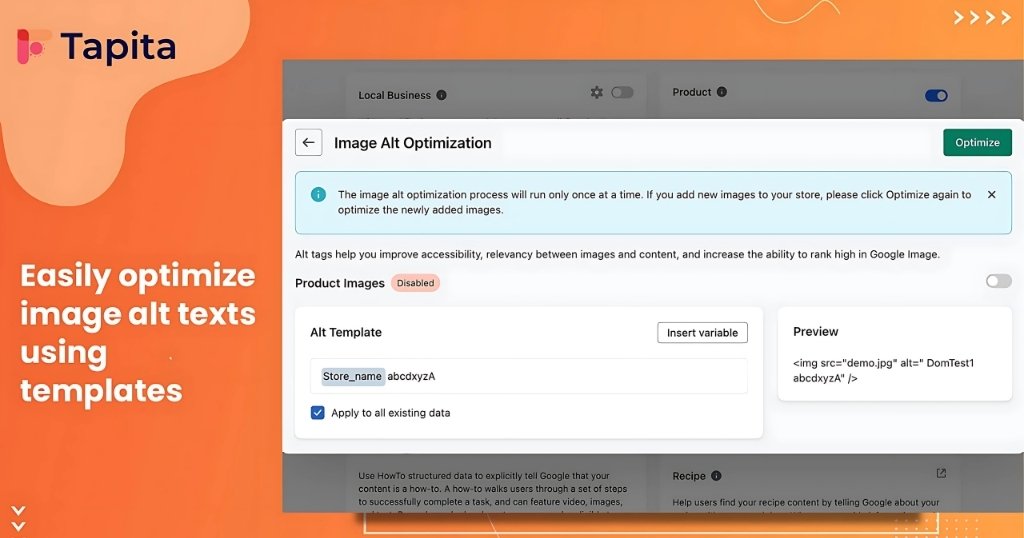
    4.TapitaSEO – The New Contender Destined for Future Impact

    The developers of the Tapita page builders have introduced TapitaSEO, one of the newest products in the SEO app market.

    Despite only being released in March 2023, the app has already received over a thousand reviews.

    With this strong start, TapitaSEO is positioned as a rising competitor in the SEO app market, suggesting that it will continue to expand.

    It is ideal for solo entrepreneurs, beginners, SMBs, and large companies looking to improve their online store’s visibility, drive traffic, and optimize performance for better search engine rankings.

    Features

    • Page Speed Optimizer: Improve the loading times of your website with the help of the Page Speed Optimizer.
    • Track and Correct SEO Errors: Pay attention to and fix SEO problems.
    • Google Search Console integration: Improve SEO management by integrating seamlessly with Google’s suite. 

    Strengths

    • A comprehensive audit that enables the user to view issues on a page-by-page basis or in summary.
    • The page speed increase is good.
    • Simple to setup and operate
    • Google integration
    • The application doesn’t update themes with code. 

    Weaknesses

    • The cost is more than anticipated.
    • Meta titles and descriptions are not automatically generated.
    Tapita SEO

    5. SEO Manager: SEO management automation tool

    Search engine optimization has a lot of variables. It can take a lot of time to manually keep track of them all, and it’s simple to overlook something.

    Shopify webmasters may automate their essential search engine optimization processes with the aid of SEO Managers. It offers:

    • Assessments of your entire website’s SEO performance in real time, including with suggestions for improvement.
    • Google Analytics and Trends are integrated to assist you in finding keywords.
    • Templates for automatically creating descriptions, titles, and alt-text descriptions for your images.
    • Schema structured data markup is automatically added to your website to aid search engine web crawlers in more effectively indexing it.
    • Repairs for 404 “page not found” issues that can prevent search engine indexing can be made in real time, and repair data can be imported, managed, and tracked.

    Shopify store owners of all sizes will find SEO Manager to be user-friendly and simple to deploy.

    SEO Manager

    6. Avada SEO & Image Optimizer – An Ideal Starting Point for Beginners

    Avada SEO has made a name for itself in the Shopify search engine optimization plugin market.

    It has received more than 5,000 reviews in just three years of operation, indicating that Shopify store owners favor it.

    It is perfect for novices, SMBs, major corporations, and single entrepreneurs that want to increase the visibility of their online store, increase traffic, and optimize performance for higher search engine rankings.

    Features

    • SEO Summary Dashboard: A single screen that summarizes all of your SEO requirements.
    • SEO Scoring: Assess each of your pages’ SEO.
    • Picture Optimization: For improved performance, enhance your picture assets.
    • Track 404 Pages: Monitor broken links.
    • SEO Academy: A beginner’s tutorial to SEO fundamentals.

    Strengths

    • Connectivity with third-party technologies, such as Google Search Console
    • Interface that is easy to use
    • Gives a summary of all the unfixed issues.
    • Especially beneficial for beginners.

    Weaknesses

    • Fewer automated processes than rivals
    • The theme has been updated, impacting the website as a whole. 11 other code files were added as well.
    Speed Image Optimizer

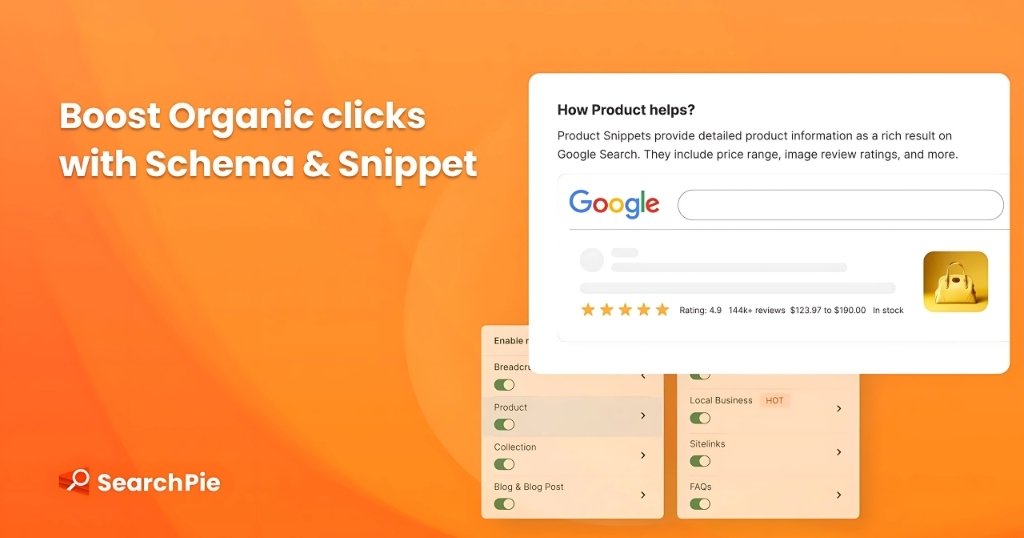
    7. SearchPie: SEO page booster and page speed optimization tool

    While adding new functionality, SearchPie incorporates many of the features of some of the earlier SEO tools.

    Its main goals are to speed up site loading and enhance local search visibility and results.

    It provides:

    • Up-to-date SEO performance reports.
    • Changing alt tags, meta descriptions, and meta titles in bulk.
    • Page loading speed by picture compression, the usage of the fast-loading AMP HTML framework, and “instant page” preloading of pages before users click on them.
    • Long URLs and 404 failures that can impede loading and indexing are automatically detected and navigated.
    • Rich snippets that are automatically generated Structured data markup in JSON-LD for effective indexing by web crawlers.
    SearchPie

    8. Smart SEO – The Challenger with a Backlinks Edge

    Smart SEO has been challenging the status quo in the SEO landscape since its inception in 2015.

    With over a thousand reviews, it’s clear that this tool has found its audience among many Shopify merchants.

    For newcomers, SMBs, big businesses, and single entrepreneurs looking to raise awareness of their online store, boost traffic, and maximize performance for better search engine results, it is ideal. 

    Features

    • Image Optimization: Improves the looks of your store.
    • Page Speed: Keeps your site working as it should.
    • JSON-LD Structured Data: Neatly arranges your information.
    • Broken Links Monitor: Keeps an eye out for any broken connections.
    • Meta Scoring Tool: Reviews your meta descriptions and titles. 

    Strengths

    • Request permission before changing anything. one-click deletion
    • Investigations backlinks
    • Simple to set up and operate

    Weaknesses

    • Not any automated capabilities
    • Not scoring for the primary material (descriptions)
    • Not any connection with Google Search Console
    • Possibly oversimplified, lacking essential elements and SEO checks
    Backlink

    9. Google Search Console

    Google Search Console lets you keep an eye on and preserve the presence of your website in Google Search results as a free service from Google.

    It helps one to better grasp Google’s and users’ perspective on your website.

    This tool assists you in:

    • URL examination to verify certain page crawl, index, and distribution characteristics.
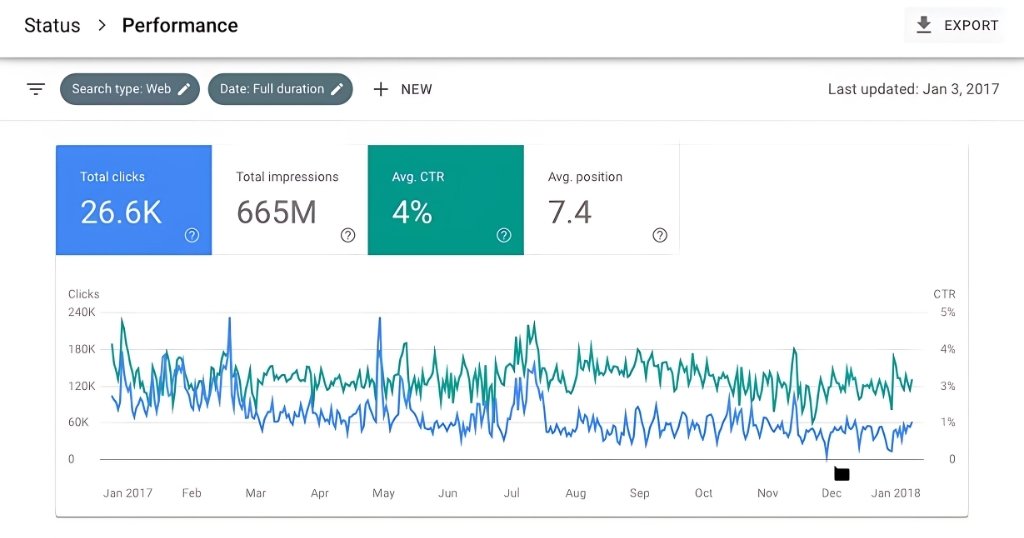
    • Performance reports for monitoring website activity.
    • Coverage reports help to find indexed pages and crawl mistakes.
    • Individual URLs entered for indexing and sitemaps.
    • Measure the mobile friendliness of your site with the Mobile Usability Report.
    • Core Web Vitals reports for evaluating user experience on your website.
    Google Search Console

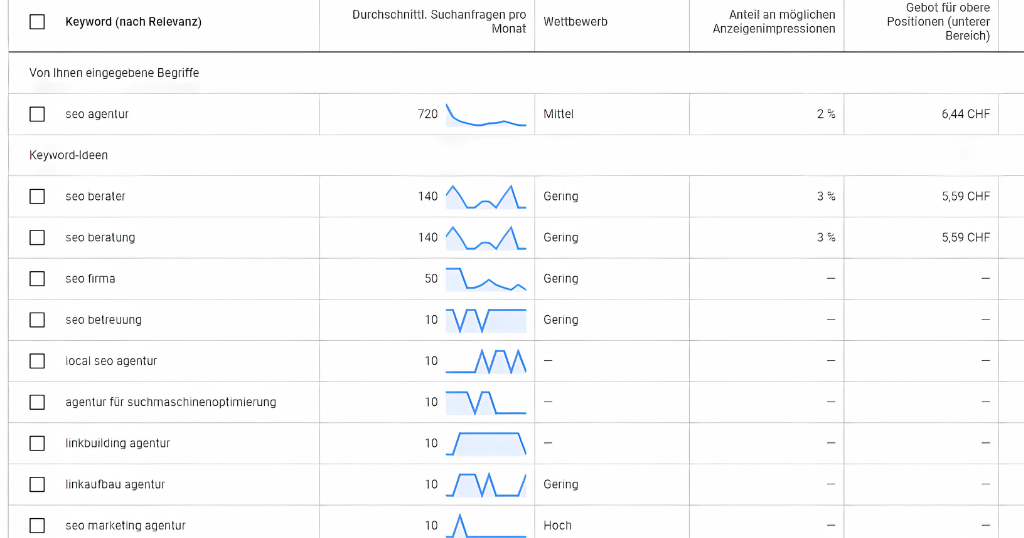
     10. Google Keyword Planner

    Shopify store owners trying to produce SEO-friendly material and attract a bigger audience may find great value in Google Keyword Planner. This tool will let you accomplish the following:

    • Research and discovery of keywords assist you find fresh, pertinent keyword recommendations for your ads and material.
    • Keyword metrics offer information on keyword search frequency as well as general degree of competition.
    • Find patterns in keyword search volume over time. 
    • Get bid estimates for every keyword to properly control ad expenses.
    Google Keyword Planner

    Conclusion

    While your particular requirements will determine the finest SEO tool for Shopify, these Shopify search engine optimization tools stand out for its user-friendly interface, extensive capabilities, and capacity to help both novices and advanced users effectively maximize their stores.

    It provides thorough understanding of topics such page titles, meta descriptions, and alt text, as well as automated SEO audits and improvement suggestions.

    The best option will ultimately rely on your requirement for particular features for blogging, content, or store-wide SEO optimization or an all-in-one solution. 

    FAQs

    1. Does Shopify provide built-in SEO?
    Search engine optimization tools incorporated within Shopify help you maximize your website. To stop duplicate pages, automatic SEO tools include title tags, canonical tags, sitemap.xml and robots.txt files, all generated by themselves. Editing picture alt text, meta descriptions, title tags, and URLs helps you additionally maximize content.
    2. Which free SEO tool best fits Shopify?
    Because TinyIMG provides 50 monthly optimizations, alt and file optimization, quick speed-up, 30-day backups, and even 24/7 support, it is the greatest free SEO app available for Shopify. Two more excellent free Shopify choices for SEO are Smart SEO and Booster SEO.
    3. Does SEO benefit from Shopify product tags?
    Indeed, careful usage of product tags will enable search engines such as Google to better grasp your site navigation and product categories. Remember, though, improper use of product tags could result in duplicate material.
    4. How could one find Shopify’s SEO ranking?
    Changing a Product URL in Shopify requires following actions: Though Shopify does not provide direct SEO ranking information, Google Search Console (GSC) lets you view your ranking for free. Just arrange GSC for your store and visit Search results > Performance. Your website ranks vary for different searches; choose one to view the average position in Google search results.
  • Is Shopify Good for SEO?

    Is Shopify Good for SEO?

    Shopify is among the most popular e-commerce platforms, in my opinion. It’s not necessary for you to believe me. Take a look at the statistics.

    A lot of small businesses are powered by Shopify.

    In recent years, Shopify has expanded by 201.53% and now has over two million stores worldwide.

    Prominent businesses have also placed their trust in it; Pepsi and Tesla, for example, use Shopify to get and maintain their online presence. 

    Are you eager to use Shopify to develop an online store?

    It’s essential to review the platform’s SEO (Search Engine Optimization) features one more time before starting.

    Make sure they align with the long-term objectives of your company and will help your website rank highly in search engines like Google.

    I’ll go over Shopify’s top tools, how to utilize them, and where they fall short in order to assist you determine how useful its SEO capabilities could be for your online store.

    Below, let’s get started.

    Let’s Begin with the Basics of SEO?

    Many individuals start their online search by using a search engine like Google or Bing.

    A ranked list of results for a certain search query is produced by search engines using a range of data from websites.

    The websites that are most likely to be relevant to the search query are identified by search engines, which then rank the results according to relevancy.

    Your online store may rank higher in search results for a variety of reasons:

    • The quantity of organic (non-sponsored or social media) links from other websites that lead to your store.
    • The website’s authority is based on activity and additional variables.
    • The age of your domain name, search engine-optimized content, and website structure.
    • It can be challenging to address the first three issues when you are just starting out in internet sales. Getting other websites to link to yours and establishing a reputation for your brand take time. With your content strategy, you can make long-term plans.

    Optimizing your content so that a search engine finds it relevant to product-related inquiries is the simplest approach to increase traffic to your online store in the short term.

    This is what SEO stands for.

    You can use apps from the Shopify App store to examine the SEO of your online store. 

    Now let’s discuss how to improve the SEO to succeed on Shopify Platform.

    Improving your SEO

    There are several simple actions you can do to make your online store search engine optimized:

    1. Look for terms that are associated with your brand and your items. What search terms are available for customers to locate your store?
    2. Include the keywords in all of your content, including image alt text, page titles, and descriptions.
    3. Verify that the file names and URLs you use correspond to the content.
    4. Add your entire domain to Google Search Console (for instance, https://www.your-shopify-domain.com/sitemap.xml) so that your online store’s website can be efficiently searched and indexed.
    5. Encourage other websites to link back to your online business by producing material that is pertinent to your merchandise.
    6. Each of these processes is covered in further detail in the other articles in this section. 
    Shopify SEO Advantages & Disadvantages
    AdvantagesDisadvantages
    Basic SEO is already included:
    You won’t have to worry about optimizing your website yourself if you’re a novice in SEO. The majority of your store’s SEO, such as its meta titles and canonical tags, is automatically generated by Shopify.
    Not suitable for advanced SEO:
    If you want to make complex code modifications to your website, Shopify isn’t the ideal SEO platform. For instance, you cannot manually update the sitemap of your website to correct or eliminate faulty links.
    SEO features several languages: Shopify’s SEO can optimize your website for searches in multiple languages by creating hreflang tags for you if you sell goods in other countries.Over-reliance on applications is possible:
    You may need to download multiple applications for your store in order to get additional SEO tools. On the other hand, installing too many apps may cause your website to lag or make it more difficult to monitor your SEO data.
    Integrate with other systems: Shopify also enables you to link your store to other platforms, such Google Analytics 4 and Semrush’s ecommerce booster, that can assist you in tracking the SEO of your website more thoroughly.

    Shopify’s Key SEO Features

    Now that I’ve covered Shopify’s SEO advantages, let’s look at its SEO features. I’ve highlighted the most crucial Shopify SEO features below:

    1. HTTPS (SSL) encryption

    SSL (Secure Sockets Layer), a crucial component of website security, is included with all Shopify stores.

    By encrypting data exchanged between a browser and the server of your website, an SSL certificate keeps hackers from gaining access to sensitive data, such as credit card numbers.

    Your website’s SEO may suffer if SSL encryption isn’t installed because search engines frequently punish sites without this extra security.

    When a Shopify website is secure, you can tell because the URL will start with “HTTPS” rather than “HTTP.”

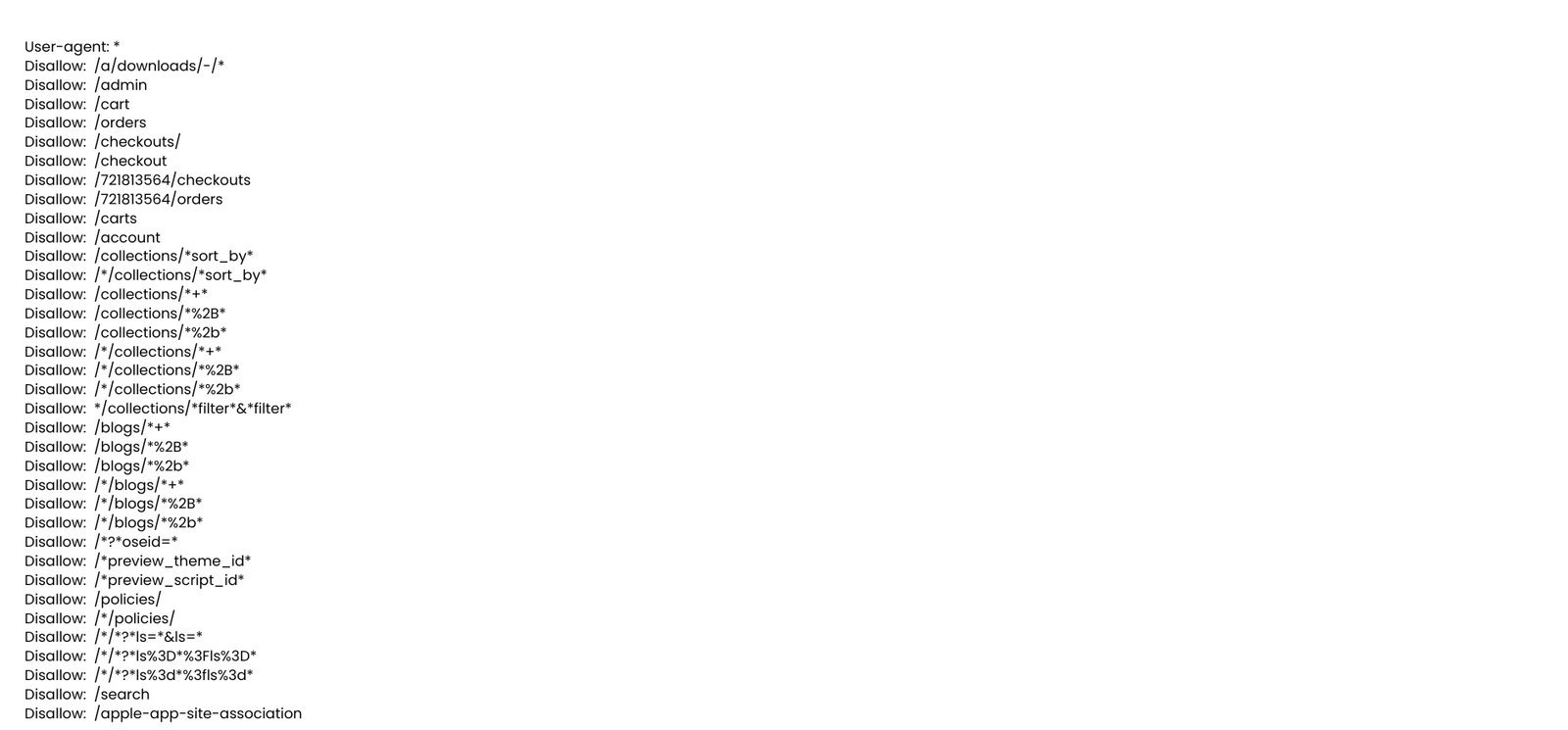
    2. Robots.txt

    Without robots.txt, Google wouldn’t be able to find your Shopify Store and all of its pages.

    This file enables Google’s bots to retrieve various web page URLs and index them in search results.

    Fortunately, a default robots.txt file is included with every Shopify site, so you won’t have to add one yourself.

    Robots.txt

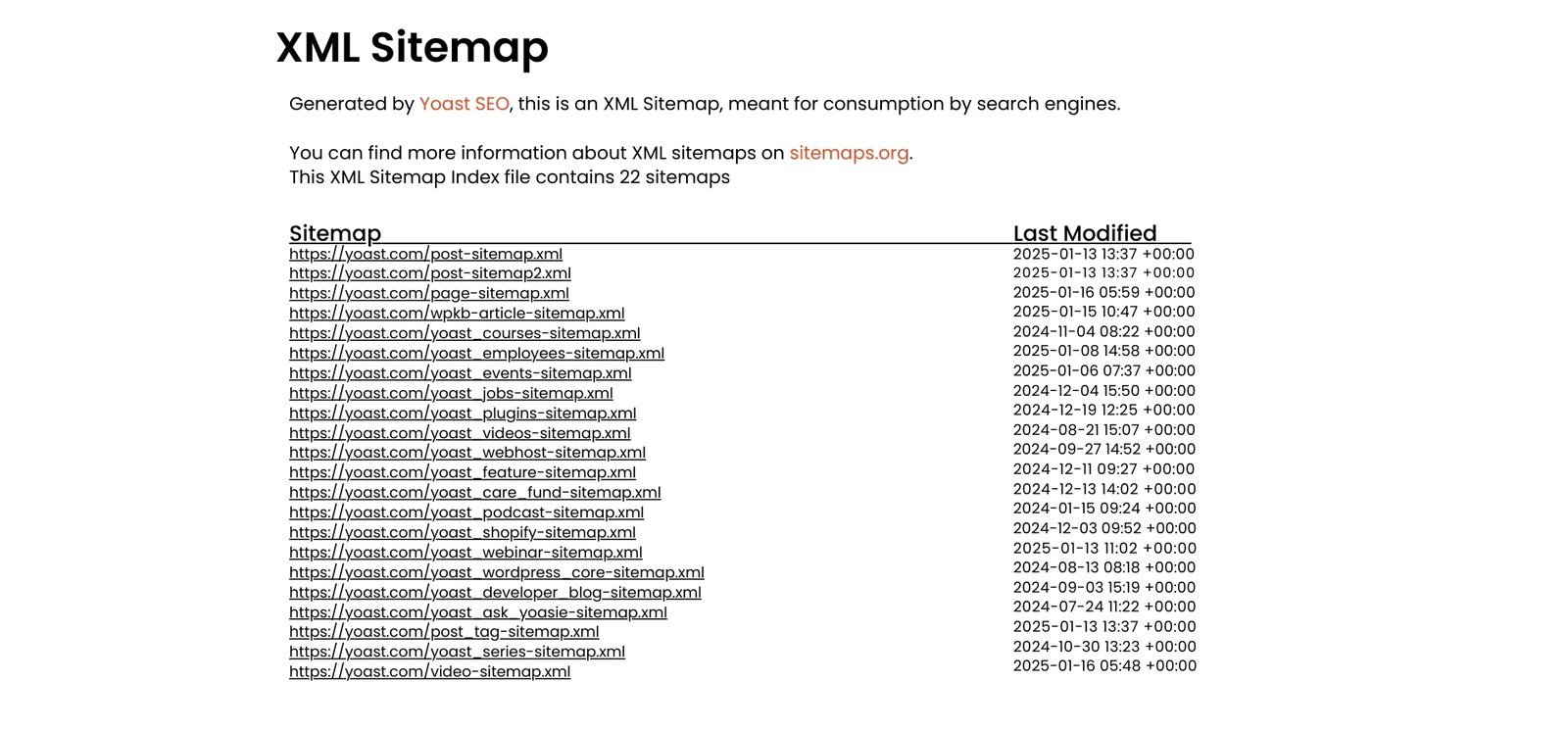
    3. Sitemaps

    The sitemap, which is a list of all the pages in your store (such as product pages and blog articles) and their structure, is created automatically for you by Shopify.

    Search engines like Google benefit from these sitemaps since they utilize them to crawl and index the content of your website.

    The main drawback of Shopify’s sitemaps, meanwhile, is that they are difficult to modify.

    For example, you cannot amend your sitemap by hand to fix a faulty URL that has to be updated on your website.

    If you have a small online business with a few important pages, this is acceptable, but as your store grows, it may become an issue.

    This lack of control over your sitemaps may irritate you if you have a huge website that is divided into several subsections.

    Sitemaps.xml

    4. Integrated Data

    Search engines utilize structured data, which is code, to comprehend the content of a page and make it easier to view on results pages.

    One example of structured data would be if a product page included a star rating ranging from one to five.

    Google might also display this star rating in the search results!

    The majority of Shopify themes support basic structured data, which allows Google to identify important features like a product’s name, price, and description and present them in search results.

    However, you will need to manually alter the code of your website or acquire a Shopify software like JSON-LD Express if you need to make more complex changes, such as adding structured data for search in your FAQ or changing product details for accuracy.

    I advise engaging a professional for this as it might be a lengthy and difficult process.

     Integrated Data

    5. Canonical Tags

    Shopify creates canonical tags for you automatically to stop duplicate content from showing up on your website and affecting your page rankings.

    These tags ensure that any search rankings are given credit to the original pages solely by alerting search engines when a page is a copy of another page.

    6. Optimized Website Speeds

    Slow loading times might harm your website’s SEO, according to Google’s Core Web Vitals.

    In actuality, websites that show up in Google search results typically have a fast page load time of 1.65 seconds.

    You may check your load times on Shopify’s dashboard if you’re worried about how quickly your website loads. I could observe how quickly my website loaded by:

    I’m navigating to my dashboard’s metrics area.

    1. Selecting “Reports.”
    2. Locating the “Web Performance” measure and choosing it.
    3. I could then see important performance indicators for my website from this page, like its Largest Contentful Paint score, which measures how long it takes for a page’s largest content to load, and its Interaction to Next Paint score, which measures how responsive an interface is when a user clicks on it for the first time.

    Shopify will provide you recommendations on how to enhance the performance of your website if it loads slowly.

    On the dashboard, I saw helpful tips like optimizing my store’s images and removing unnecessary apps. 

    7. Optimized Images

    The speed at which your website loads is also greatly influenced by image optimization.

    In order to assist speed up your online store, Shopify uses its Content Delivery Network to automatically reduce file sizes and identify the optimum file formats for your pictures.

    8. Mobile-First interface

    The significance of mobile-first design is another essential component of Google’s Core Web Vitals, and it can also affect how customers engage with your Shopify business.

    If the first website a user clicks on isn’t mobile-friendly, 79% of users return to the search results page.

    The majority of Shopify’s themes may be altered in mobile view and are generally responsive to mobile devices.

    It’s important to keep in mind, though, that certain themes work better on mobile devices than others.

    Before deciding on a Shopify theme, I advise experimenting with a few to make sure they look fantastic and are completely responsive on both desktop and mobile devices.

    9. Meta Descriptions & Titles

    To help users understand what’s on each of your web pages, your Shopify store’s meta titles and meta descriptions will show up on search engine results pages.

    Here is a brief definition of each to help you understand:

    • Meta Title: The title of a webpage as it appears in search results is called the meta title.
    • Meta Description: An overview of a web page’s contents is provided by the meta description. 

    10. Custom URLs

    When making changes to your website, you may wish to modify a particular URL to better reflect the content of a page.

    For instance, compared to example.com/hds73tgha, example.com/article/shopify-seo-review is far more informative.

    You’re in luck if you want to accomplish this on Shopify because it allows you to make unique URLs for various pages that are optimized for search engines.

    I may change the URL of a page by scrolling down from the same spot where I changed the meta title and meta description.

    I clicked save to confirm that I was satisfied with the design.

    Is Shopify Good for SEO?

    Shopify is widely regarded as an SEO-friendly platform, providing a number of integrated tools and features that aid in search engine optimization.

    It’s clear, easy-to-use interface makes it simple to manage sitemaps, URL structures, and meta tags-all of which are crucial for SEO.

    Additionally, Shopify offers mobile-responsive themes and quick loading times, two crucial ranking elements.

    Apps and plugins, such content marketing tools and image optimization, are also available to improve SEO efforts.

    Although Shopify facilitates the implementation of SEO fundamentals, the quality of your content, backlinks, and continuous optimization efforts are ultimately what determine success. 

    Final thoughts on Is Shopify Any Good for SEO

    With built-in capabilities like automatic sitemap updates and quick page speeds-two important elements for rankings-Shopify offers a strong basis for SEO.

    The software lets you quickly change important shop components to match SEO best standards.

    Using Shopify by itself, however, does not ensure top results on search engines.

    Remember that Shopify is only a tool-success in SEO; keyword research, excellent content development, and generating strong backlinks are what will enable your store to flourish in natural search.

  • Powerful Shopify SEO Guide: Boost Your Online Store’s Visibility

    Powerful Shopify SEO Guide: Boost Your Online Store’s Visibility

    This ultimate guide will provide you with essential information on how to find your way through Shopify SEO.

    Starting from the basic concepts of on-page, off-page SEO and ending with keyword optimization, link building, and such practical tips as a mobile-friendly design.

    There are specific step by step actions needed and proven strategies discussed to help you get higher visibility for your store, better user experience and even higher conversion.

    We hope that using the tips featured in this shopify SEO guide, you will be able to put your Shopify store ahead of competitors, attract more customers, and leave a solid basis for evolving your business.

    So without further delays, let me explain how you can get the most out of Shopify SEO basics for your eCommerce business.

    Before starting let’s discuss about What is SEO?

    Search Engine Optimization (SEO) is the process of improving a website’s visibility on search engines like Google.

    By optimizing content, structure, and technical aspects, SEO helps websites rank higher in search results, making it easier for potential customers to find them.

    It involves strategies like keyword optimization, link building, and enhancing user experience to drive organic traffic and boost online presence.

    For businesses, SEO is a vital tool to attract the right audience, increase brand visibility, and achieve long-term growth in the competitive digital landscape.

    In the current market of eCommerce, just having your store built with Shopify is not sufficient.

    For the store to be noticeable and to attract potential customers you need your store to be easily noticeable and easily ranked in such search engines as Google.

    It is where search engine optimization comes in handy.

    Shopify SEO is the process of working on the current state of a store to curate it, increase the store’s visibility in someone’s browser, and increase sales.

    If you are a new store owner, or you want to optimize an existing site, being an SEO master is what you need for your online business.

    Shopify SEO Tips

    Learning how to optimize Shopify can speak volumes about your store and ensure you get natural traffic.

    Pay special attention to titles and descriptions of products and on images, which contain specific keywords.

    To modify meta descriptions, headlines, and create friendly URLs and page directory structures Shopify pane has options.

    Ignore not the need to have features that optimise for mobile platforms and sites with a fast loading speed to enhance the rankings.

    Relation between Shopify & SEO

    Relation between Shopify & SEO

    Shopify and SEO are both the best tools that can be used in establishing as well as expansion of the online business.

    Shopify is an easy to navigate web software created for enhancing the process of building and administering internet-based stores.

    But having a store is insufficient-this is where I emphasize the importance of SEO.

    The purpose of using SEO for a Shopify store is to enhance the store owner’s websites and rank for organic traffic.

    Thus, Shopify merchants gain a high ranking for product pages, blogs, and site architecture and make products more available for people.

    In addition, some of the SEO functionalities such as title tags, meta descriptions, and URL management, are integrated into Shopify, which can help ease implementation of SEO services for businesses .

    Combined with other SEO work, such as keyword analysis, backlinking, and responsive design, which will always be useful anyway, Shopify becomes a powerful tool to attract traffic, increase sales, and build a sustainable business.

    How can your Store Visibility Increase from SEO?

    SEO Makes It Easy for You to Reach the Right Demographic

    Having a list of keywords that fits your industry is a good taste on theSEO tactics for Shopify you should be preparing for.

    These are the keywords that applied to your promising and current consumers while looking for a product or service online.

    By including them in your content as naturally as you can, a web page of yours will pop up when the search is made with those target keyword phrases in their search query. 

    For instance if you are a construction business, then including phrases like construction companies near me and general contractors in (insert location here) are phrases that people searching for a construction business will surely find.

    This leads us to the next benefit.

    SEO Makes It Easy for You to Reach the Right Demographic

    SEO Brings Targeted Traffic to Your Site

    They always have a purpose, and that purpose is to look for something particular when they go online.

    Often, they search for the business online since they have a desire to purchase or get a service. 

    If they are using the keyword ‘near me’ or their location they are very likely to convert again.

    With this in mind, a site that is optimized for search engine ranking can be a beacon for these kinds of leads (or prospective customers). 

    SEO Brings Targeted Traffic to Your Site

    SEO Sets You up as an Authoritative Brand

    The first page ranking can build you into a reputable business.

    According to other search engines, any website that ranks high as Google is considered credible and established and they are also considered to be thought leaders in their marketplace. 

    In case you didn’t know, Google loves to rank fresh, authoritative content and that is why such web pages are ranked on top.

    The search engine has in mind nothing more than giving its users the best experience possible by directing them to Websites of greatest value. 

    SEO Sets You up as an Authoritative Brand

    SEO forms and Strengthens Brand Image

    This places your website and company name where everyone seeking a similar business to yours will find it online. In short, it aids in raising brand familiarity.

    Increasing brand recognition is one of the greatest objectives of any company regardless of industry and size.

    All the same, you couldn’t make improvements on the revenue pull without first courting consumer affection and therefore forging an even tighter relationship with them.

    Besides, with link building one is able to have other online sites recommend you to their subscribers and within no time people will be rushing to have a check on you.

    Even guest posting with such sites can go a long way to improving your overall digital marketing strategy. 

    SEO forms and Strengthens Brand Image

    SEO Captures Local Searches

    This means that the use of local SEO is the special bet in the direction of the physical store of the potential buyers – customers.

    To sum this up, appropriate local SEO strategies will help those in the immediate vicinity to locate your store every time they search for your products online. 

    Local SEO is actually very similar to the conventional type of SEO. Both seek to have increased traffic visitors that are qualified and inturn converted to sales.

    Correctly implemented, local SEO increases the traffic to your company website and the store for many businesses.

    For example, 72% of the local searches that were done lead to a physical visit within 5 miles of the search.

    But, it did reveal that 80% of local searches on google end up as new leads or customers.

    SEO Keeps You Ahead of the Competition

    We can safely assume that many of your competitors are already together with SEO practitioners to guarantee that they are outcompeting Google, Bing, Yandex, and pretty much any search engine you can name.

    That is most likely, why here it becomes challenging to outcompete them with regards to the ranking.

    If only you have invested in the search engine optimization before them, the customers that they are fixing to have deserved to be yours. 

    But come on, this shouldn’t deter you from trying even harder.

    So then, they are doing well for themselves but that doesn’t mean you could not take their places anymore. 

    SEO Keeps You Ahead of the Competition

    If you run an online store, an effective site presence is crucial, and an essential establishment can be a Shopify SEO guide.

    SEO Onsite helps your store to rank on top of the search engines bringing in the traffic to your site and potential customers.

    SEO comprises optimizing product pages, keywords and site design, where necessary.

    Shopify’s user interface and functionalities provide even new users with an opportunity to perform proper SEO.

    Mastering Shopify SEO Basics

    Thus, learning the basics of SEO in Shopify is the first stage of getting a better presence.

    First, it is possible to know the terms that your audience uses and ensure that the business uses them in its product titles, meta descriptions, and image alt texts. 

    Having used Shopify I realized that this platform is indeed very easy to manage and edit URLS using a logical structure that will impress any search engine.

    Relatively fast loading speed and optimisation for devices across the mobile platform are also crucial aspects of ranking.

    Secrets of Keyword Optimization in Shopify

    To remain competitive in the specific area of e-commerce use advanced SEO strategies for Shopify.

    Writing high-quality blog posts, guides and product tutorials for example will help in gaining that much-needed authority.

    Internal linking is helpful in ensuring people stay longer on the site, as well as enhancing easy means of moving within the website.

    Schema markup is another very effective strategy and makes your product in the search engines with a rich snippet.

    Follow up your performance by using the analytical tools available in Shopify to see where you can improve.

    This Shopify SEO guide, learning the foundational concepts of Shopify SEO, and applying the most useful Shopify SEO strategy can improve your store.

    If you persist and keep pushing in your endeavours not only will you gain more customers but establish a good successful business that will earn you profit.

    Conclusion

    SEO for Shopify store, The basics because SEO plays such a critical role in the advertising success of an online store, it is vital to understand its principles if you own a Shopify store.

    In combination with strict adherence to recommendations mentioned in our overall shopify SEO guide, using specific shopify SEO tips will help to attract the necessary organic traffic and improve online performance. 

    First, it is recommended to cover the basics of shopify SEO and work your way up from basic product page optimisation, meta description and URL optimisation, heading tags optimisation, internal linking and schema markup.

    You will attract more sales today and in the future since SEO is consistent hence helping you establish a solid e-commerce business in a competitive world.